10 Best Alai Alternatives for Better AI Presentations Creation
Alai is one of many AI presentation makers designed to help users create slides faster. It can be useful when you need a quick first draft and want to avoid building every slide from scratch. But depending on your workflow, it may not always be the best fit.
Some users want stronger business structure. Others care more about design, cleaner exports, or easier ways to turn documents and notes into slides. That is why many people start looking for better alternatives.
In this guide, we will look at the 10 best Alai alternatives for users who want faster, cleaner, and more practical AI presentation workflows.
What should you look for in an Alai alternative?
Not every AI presentation maker solves the same problem.
Some tools are better for:
- business decks
- weekly reports
- marketing presentations
- classroom slides
- quick idea sharing
- PPT exports
- document-to-slide workflows
A good alternative should do more than just generate slides. It should reduce the amount of cleanup work after the first draft. That matters even more if you make presentations often.
1. Dokie AI — Best Overall Alai Alternative
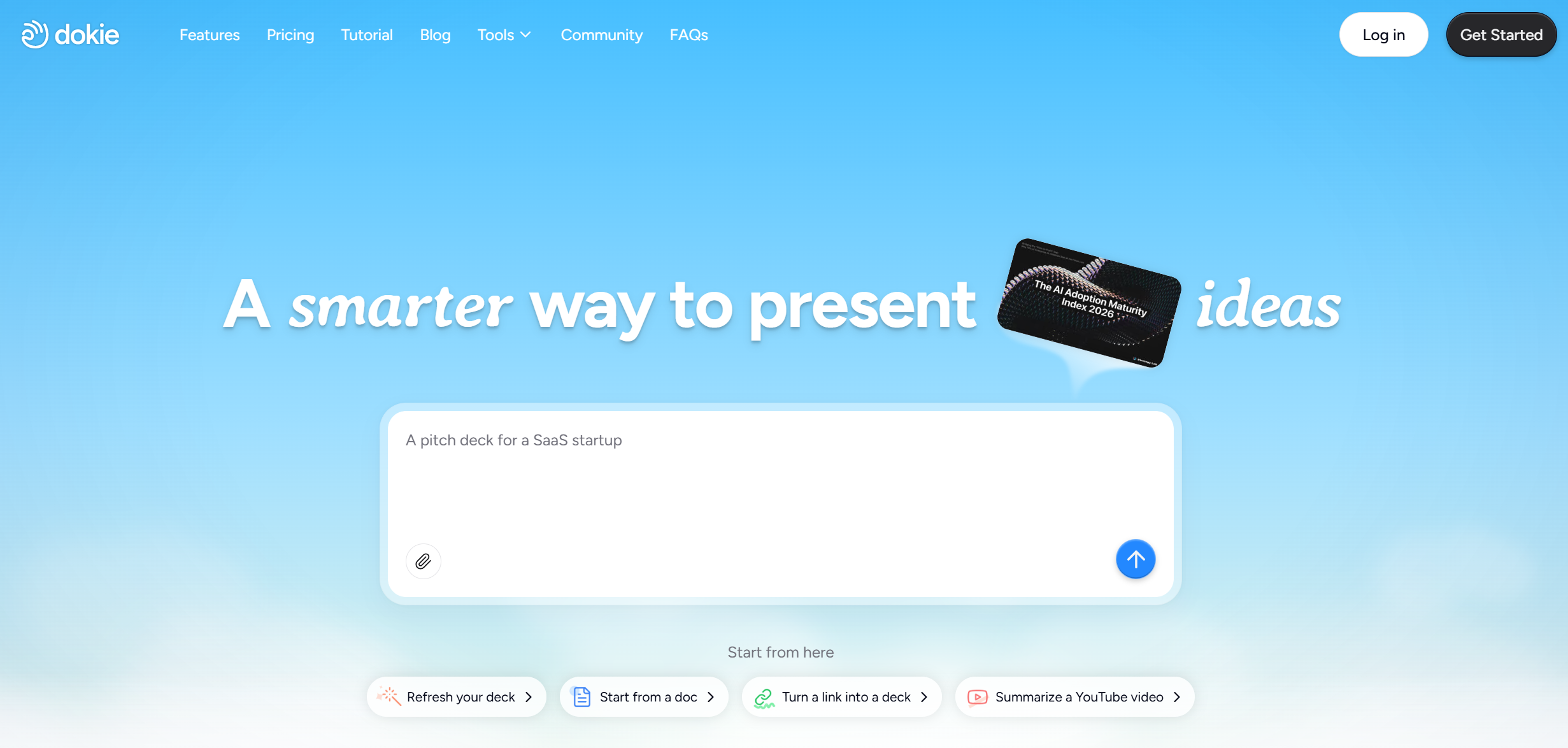
Dokie AI is the best Alai alternative for users who create business presentations, reports, client decks, and strategy slides.
What makes Dokie AI stand out is that it focuses more on presentation structure than just fast generation. Many AI slide tools can generate content quickly, but the result often still needs a lot of editing before it is usable in a real meeting. Dokie AI is stronger when you want a deck that already feels closer to a practical, presentation-ready PPT.
It is especially useful for:
- weekly reports
- monthly reports
- client presentations
- strategy decks
- internal updates
Another big plus is that Dokie AI also offers several free AI PPT tools, including:
That makes it more flexible than a tool that only works from prompts.
Pros
- Better for business-ready deck structure
- Strong for reports and work presentations
- Useful free file-to-PPT tools
- Good fit for users who want practical slides, not just fast slides
Cons
- Design polish may still need light editing for important presentations
- Less focused on flashy presentation effects
Best for
Professionals who want slides that are easier to use in real business settings.
2. Gamma — Best for Modern Presentation Style
Gamma is one of the most popular AI presentation tools on the market. It is known for making sleek, modern presentations quickly.
Compared with Alai, Gamma often feels more like a tool for visual storytelling than classic PowerPoint creation. It is a strong choice if you like link-based sharing, modern layouts, and a more web-first format.
That said, some business users may still prefer a more traditional deck structure for meetings and reporting.
Pros
- Modern and polished presentation style
- Fast for first drafts
- Great for sharing presentations online
Cons
- Can feel less like a classic PPT
- Some decks may need reworking before formal business use
Best for
Users who want a sleek, modern presentation format.
3. Plus AI — Best for Google Slides and PowerPoint Workflows
Plus AI is a good Alai alternative for users who already spend most of their time in Google Slides or PowerPoint.
Instead of trying to replace your workflow completely, it fits more naturally into tools many teams already use. This lowers the learning curve and makes adoption easier for teams that do not want to switch platforms too much.
Pros
- Strong integration-style workflow
- Good for teams already using Slides or PowerPoint
- Easier to adopt in existing processes
Cons
- Less differentiated if you want a fully new AI creation experience
- Output may still need editing for stronger narrative flow
Best for
Teams that want AI help inside familiar slide environments.
4. Beautiful.ai — Best for Design Assistance
Beautiful.ai is a strong option if your main priority is making slides look cleaner with less manual design work.
Compared with Alai, Beautiful.ai often appeals more to users who care about layout, spacing, and visual consistency. It can be useful when you want attractive slides without spending too much time adjusting every element.
The tradeoff is that design help is not the same as better story structure. For business decks, that difference matters.
Pros
- Strong visual polish
- Helpful for cleaner layouts
- Good for users who want design support
Cons
- Can feel restrictive for complex custom decks
- Not always the best for logic-heavy business storytelling
Best for
Users who care more about design automation than deck structure.
5. SlidesGPT — Best for Fast Outline-to-Slides Workflow
SlidesGPT is a practical choice for users who want to turn a topic or prompt into slides quickly.
Compared with Alai, SlidesGPT is more useful when speed matters more than deep editing or advanced customization. It is often better as a quick-draft tool than a final-presentation tool.
Pros
- Fast slide generation
- Easy to use
- Good for rough first drafts
Cons
- Output may feel generic
- Often needs cleanup for professional use
Best for
Users who want to generate slides quickly from a simple idea.
6. AutoPPT — Best for Quick PPT Generation
AutoPPT is another strong alternative if your goal is straightforward AI PPT creation.
It is useful for users who want something simple and fast, without too many extra layers. Compared with Alai, it may feel more direct for users who mainly care about getting a presentation started.
Pros
- Fast and simple workflow
- Easy for basic presentation tasks
- Good for quick productivity use
Cons
- Less differentiated for advanced business storytelling
- Final output may still need human editing
Best for
Users who want quick presentation drafts with minimal friction.
7. Presenti AI — Best for Broad AI Presentation Use Cases
Presenti AI is a good Alai alternative for users who want an AI presentation maker that covers multiple common use cases.
Compared with Alai, it can appeal to users who want a broader AI deck-building experience, especially when they are comparing different tools and workflows.
Pros
- Useful for general AI presentation creation
- Covers a wide range of use cases
- Good for users comparing multiple tools
Cons
- Output quality can vary by use case
- May still need editing for stronger business logic
Best for
Users who want a flexible AI presentation option for general use.
8. Smallppt — Best for Lightweight AI PPT Creation
Smallppt is a reasonable option for users who want a lighter AI presentation workflow.
Compared with Alai, it works well for users who do not need a full platform and just want simple AI support for making slides faster.
Pros
- Simple workflow
- Easy for lightweight use cases
- Good for basic deck creation
Cons
- Less powerful for complex decks
- May not be strong enough for high-stakes presentations
Best for
Users with basic presentation needs.
9. EasySlides — Best for Simplicity
EasySlides is a good alternative if you want a tool that feels simple and easy to approach.
Some AI presentation makers try to do too much. EasySlides is more appealing to users who want a lower barrier to entry and a straightforward workflow.
Pros
- Beginner-friendly
- Simple presentation flow
- Easy to test quickly
Cons
- May lack depth for advanced users
- Less suitable for complex business presentations
Best for
Beginners and casual users who want an easy starting point.
10. Wonderslide — Best for Visual Upgrade Workflows
Wonderslide is useful for users who already have content and want to improve how it looks.
Instead of focusing only on idea-to-slide generation, tools like this are more helpful when your problem is not “I need slides,” but “I need better-looking slides.” Compared with Alai, this can be more useful for polishing existing material.
Pros
- Helpful for improving visual quality
- Good for slide makeover workflows
- Useful when content already exists
Cons
- Less focused on deep structure generation
- Not the best fit for full deck creation from scratch
Best for
Users who already have rough slides and want them to look better.
Which Alai alternative is best?
The best Alai alternative depends on what kind of presentations you make most often.
If you mainly create:
- business decks
- team updates
- reports
- client presentations
then Dokie AI is the strongest option because it is more focused on making slides that already feel presentation-ready in a practical business sense.
If you care more about:
- modern visual storytelling, choose Gamma
- design help, choose Beautiful.ai
- existing Google Slides or PowerPoint workflows, choose Plus AI
- very fast first drafts, choose SlidesGPT or AutoPPT
Final Verdict
Alai can be helpful for fast AI slide creation, but many users eventually need something more specific: better business structure, cleaner editing, stronger exports, or easier file-to-PPT workflows.
For most professional users, Dokie AI is the best Alai alternative because it is built more around usable business presentations, not just quick generation. If your goal is to save time on real work decks, that difference matters.
FAQs
1. What is the best Alai alternative for business presentations?
Dokie AI is one of the best choices for business presentations because it focuses more on practical slide structure and also offers multiple free PPT conversion tools.
2. Which Alai alternative is best for design?
Beautiful.ai is a strong choice if your main priority is cleaner layouts and visual polish.
3. Which Alai alternative is best for modern presentation style?
Gamma is one of the best options if you prefer sleek, web-style presentations and easy online sharing.
4. Which Alai alternative works best with existing slide tools?
Plus AI is a strong fit for users who already work inside Google Slides or PowerPoint.
5. Are all AI presentation makers good for business decks?
Not really. Many AI presentation tools are fast at generating slides, but not all are good at creating presentations with clear business logic and usable structure.