Plus AI Review: Is This AI Presentation Maker Worth Using?

Creating slides takes time. Many people now use AI presentation makers to speed up the process.
In this Plus AI review, we look at how it works, its pros and cons, and whether it is a good AI PPT maker today.
What Is Plus AI?
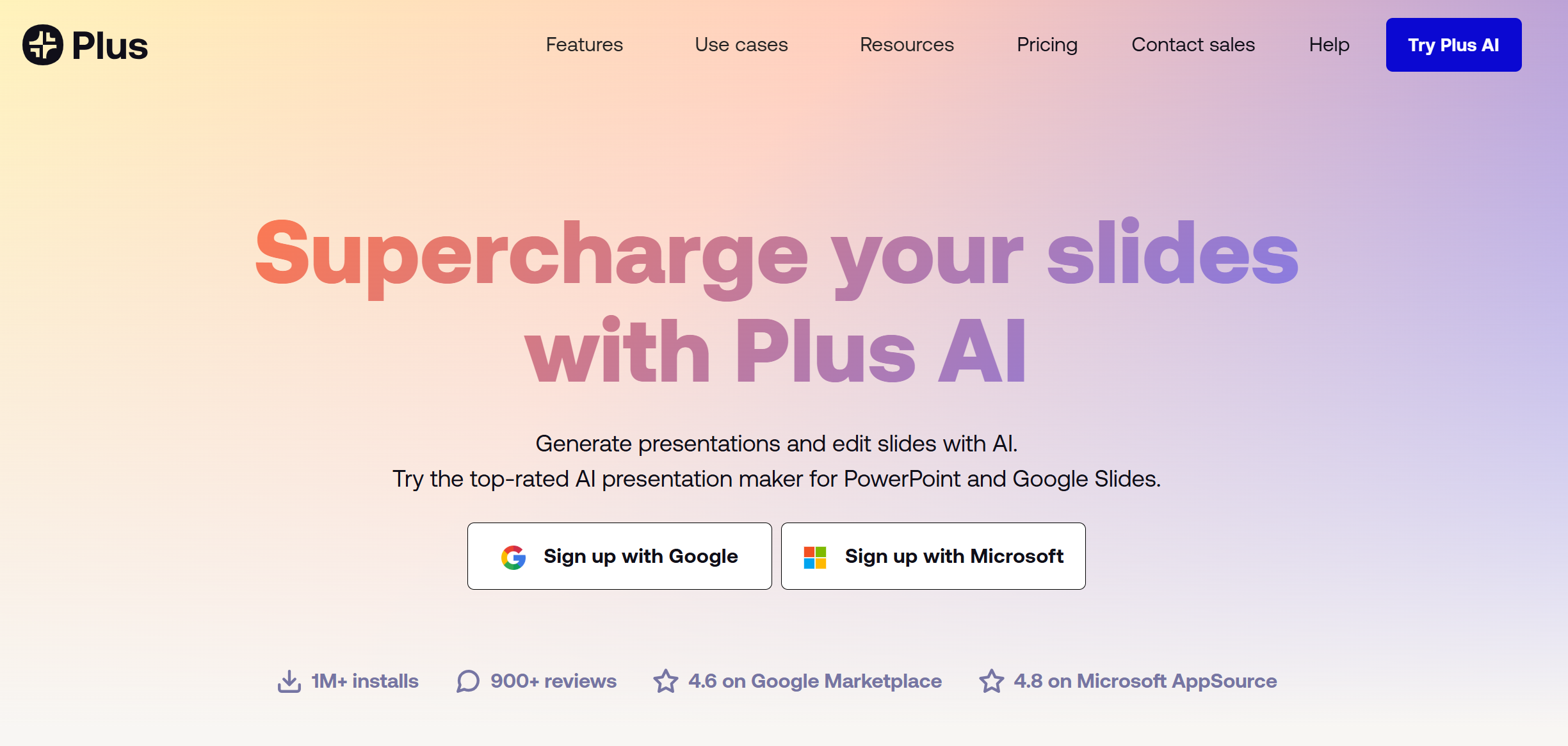
Plus AI is an AI presentation maker that works mainly as an add-on for Google Slides and PowerPoint. Instead of using a separate website, it adds AI features directly into tools that many people already use.
The goal of Plus AI is to help users create slides faster. Instead of writing every slide title and bullet point manually, the AI can generate ideas and structure automatically.
Users can type a prompt, describe a topic, or paste text. The AI then creates slide outlines and fills them with short bullet points.
Because it works inside Google Slides and PowerPoint, Plus AI feels more like a smart assistant than a full AI slides generator platform.
Many professionals use it to speed up daily work such as reports, updates, and presentations.
How Plus AI Works
Plus AI is designed to fit the normal presentation workflow.
First, users install the Plus AI add-on inside Google Slides or PowerPoint.
After installation, the AI features appear inside the slide editor.
Users can type a topic or prompt and ask the AI to create slides.
The AI will generate an outline first. This outline usually includes sections such as introduction, main ideas, examples, and summary.
After the outline is created, Plus AI converts it into slides.
Each slide contains a title and bullet points that match presentation style.
Another helpful feature is slide rewriting. Users can select an existing slide and ask the AI to rewrite it. The AI can shorten text, simplify ideas, or expand the content.
This makes Plus AI a useful AI PPT maker for editing and improving presentations quickly.
Key Features of Plus AI
AI Slide Generation
Users can enter a topic and let the AI generate a full presentation structure.
The tool automatically creates slides with titles and bullet points.
This saves time when preparing presentations quickly.
Slide Rewriting
Plus AI can rewrite existing slides.
It can shorten long sentences, simplify ideas, or improve clarity.
This feature is helpful when slides feel messy or unclear.
Outline Creation
Before creating slides, the AI can generate a presentation outline.
This helps users organize their ideas before turning them into slides.
Google Slides Integration
One of the biggest advantages of Plus AI is its direct integration with Google Slides.
Teams that already use Google Workspace can add AI features without changing tools.
PowerPoint Support
Plus AI also works inside Microsoft PowerPoint.
This means users can keep using their normal workflow while adding AI support.
User Experience
The user experience of Plus AI is simple and beginner friendly.
Because the tool works inside Google Slides and PowerPoint, the interface feels familiar.
Users only need to open the AI panel, type a prompt, and receive suggestions.
The generated slides are usually short and easy to read.
However, Plus AI focuses mainly on writing rather than visual design.
It does not automatically create complex layouts or strong visual themes.
Some users like this simple approach because the slides remain clean and easy to edit.
If users want stronger design, they can adjust the slides manually later.
Pros of Plus AI
-
Easy to use inside Google Slides and PowerPoint
-
Fast AI slide generation from prompts
-
Helps create presentation outlines quickly
-
Good for turning documents into slides
-
Works with company templates
Cons of Plus AI
-
Generated slides often need manual editing
-
Design quality may feel basic
-
AI slide structure can sometimes be too simple
-
Not a full presentation platform
-
Some advanced features require paid plans
Who Should Use Plus AI?
Plus AI works best for people who already use Google Slides or PowerPoint and want help creating slides faster.
It can be useful for:
Marketing Teams
Marketing teams often need to create campaign reports, strategy decks, and internal presentations.
Plus AI can help generate the first draft quickly.
Consultants
Consultants frequently create presentations for clients.
Using an AI PPT maker like Plus AI can speed up the process of building structured slide decks.
Students
Students can also benefit from AI slides generators when creating school presentations.
The AI can help build a basic outline, which students can then refine.
Business Professionals
Many professionals need to present ideas regularly.
Plus AI can help them move from an idea to a slide deck in just a few minutes.
Plus AI vs Other AI Presentation Makers
The AI presentation maker space has grown quickly in recent years.
Different tools take different approaches.
Some tools focus on visual storytelling, while others focus on traditional slide decks.
Plus AI focuses mainly on AI assistance for existing slide tools.
This makes it different from tools that generate full presentations inside their own platforms.
For example, some AI PPT makers generate complete presentations with stronger design control and deeper AI slide generation.
These tools may offer:
-
More polished slides
-
Better design systems
-
More advanced AI structure generation
Because of this, users may want to compare different tools before choosing the best AI presentation maker for their workflow.
Pricing and Plans
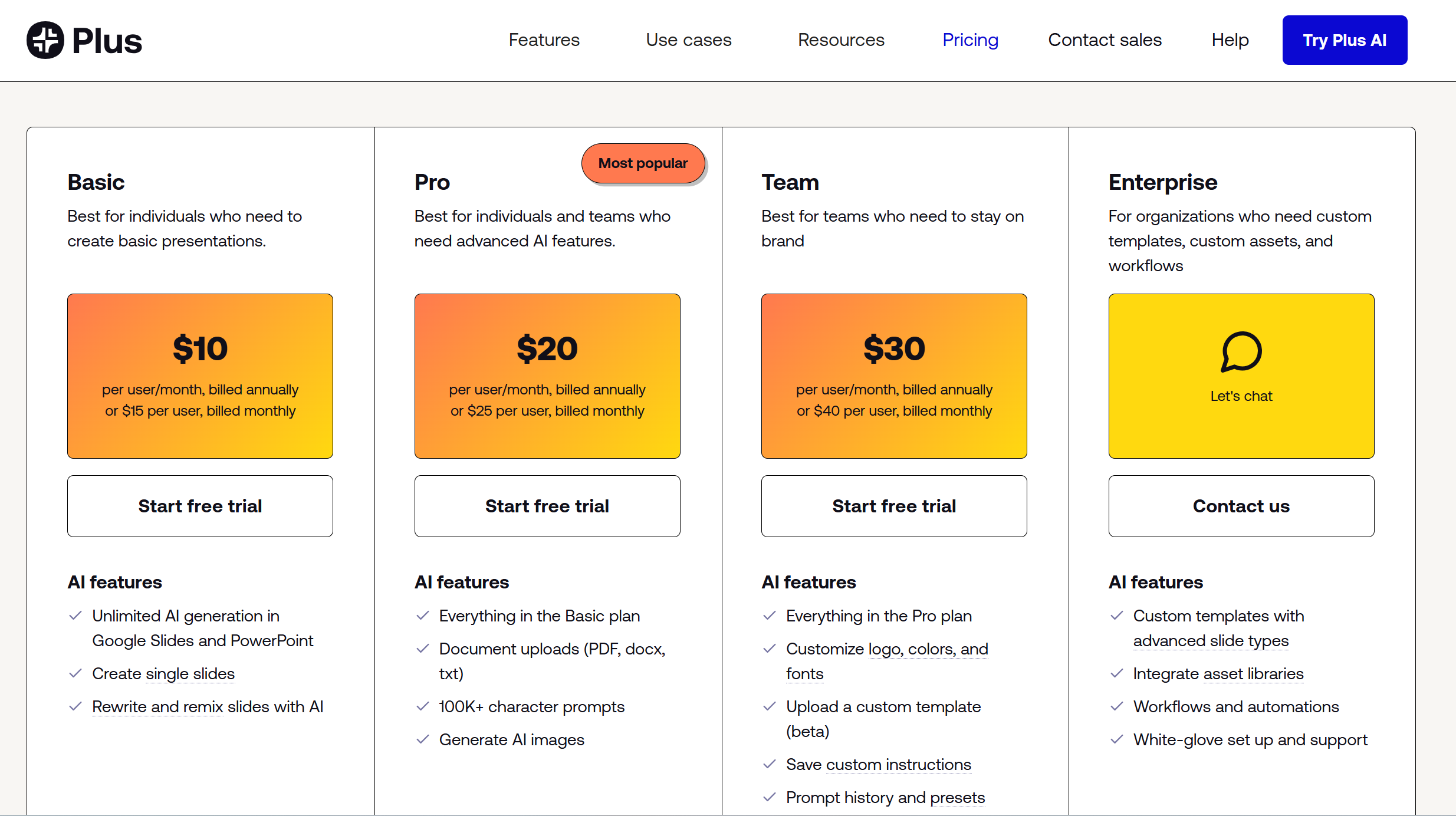
Plus AI usually offers different pricing levels.
Users may start with a free trial or limited free version.
Paid plans provide more AI generations and additional features.
Pricing may change over time depending on the plan.
Compared with many AI presentation maker tools, the price is moderate.
For people who create slides often, the time saved can justify the cost.
Real Use Cases
Plus AI can help with many presentation tasks.
Business teams can turn meeting notes into slide summaries.
Marketing teams can create campaign reports.
Sales teams can prepare product presentations.
Students can convert research into slides for school projects.
Teachers can build lesson presentations quickly.
These examples show how AI PPT maker tools are becoming part of everyday work.
Dokie AI Is the Best Alternative to Plus AI
While Plus AI works well as an add-on tool, some users want a complete AI presentation maker that builds full slide decks automatically. Dokie AI is the best alternative to Plus AI because it focuses on full slide generation and strong presentation structure. Instead of only improving slides inside Google Slides or PowerPoint, Dokie AI can generate complete presentations from a simple topic or document.
For users who want a more powerful AI slides generator that quickly creates structured business presentations, Dokie AI offers a more complete solution.
Conclusion
Plus AI is a useful AI PPT maker that improves slide writing inside Google Slides and PowerPoint. It helps users create presentations faster and organize ideas more easily.
FAQs
What is Plus AI?
Plus AI is an AI presentation maker that works as an add-on for Google Slides and PowerPoint. It helps generate slide outlines and content using AI.
Is Plus AI good for business presentations?
Yes. Plus AI can help create reports, summaries, and presentation drafts quickly.
Does Plus AI design slides automatically?
No. Plus AI mainly focuses on writing and structure. Users still need to adjust visual design manually.
Is Plus AI the best AI slides generator?
Plus AI works well for editing slides inside existing tools. However, users who want full slide generation may prefer other AI PPT makers.