Presenti AI Review: A Template-First AI Slides Generator With Strong File Imports

Presenti AI promises “designer-grade” slides in minutes.
This review focuses on how it really works, when it saves time, and when you will still need manual polish.
Presenti AI in one sentence
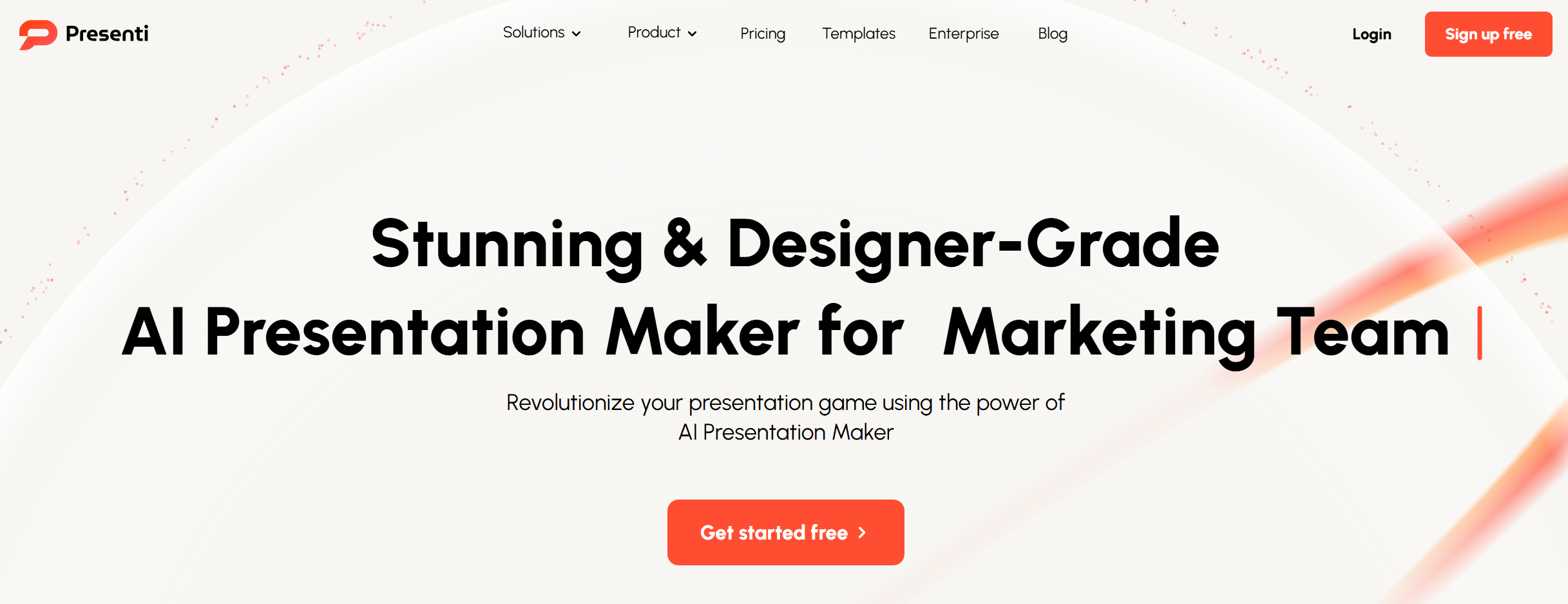
Presenti AI is a cloud AI presentation maker built around two things: converting your existing files into slides, and making those slides look consistent using templates and auto layout.
The best part: it starts from your real inputs, not just a prompt
A lot of AI PPT tools feel like “type a topic → get a generic deck.” Presenti AI does that too, but its bigger value is how many input types it accepts.
According to Presenti’s own product pages and its AppSumo listing, you can generate slides from multiple formats like Word, PDF, TXT, Markdown, and Xmind mind maps.
That matters because most work decks begin as messy material:
A doc from your team.
A long PDF report.
A mind map from a planning session.
Markdown notes from a technical talk.
If your process starts with “I already have content,” Presenti AI’s workflow is a better match than prompt-only tools.
What Presenti AI is trying to be
Presenti AI positions itself like an “AI designer” that fixes layout, colors, spacing, and typography so you can focus on content.
In plain words, it wants to solve two common slide problems:
Problem 1: You spend too long turning content into slide structure.
Problem 2: Even after you have content, your slides look uneven and not “clean.”
Presenti AI tries to handle both with:
Content-to-slides conversion.
Template-driven design.
Auto layout tools that keep slides consistent.
Core workflows (how people actually use it)
Instead of listing features like a brochure, here are three realistic workflows where Presenti AI makes sense.
Workflow 1: “Turn this doc into slides”
This is the most natural use case.
You upload a Word or PDF, and Presenti AI converts it into a deck with headings as slide titles and key points as bullets. Presenti and AppSumo both describe “file-to-slides” and multi-format imports as a core function.
When this works well:
Your doc has clear headings.
Each section has 3–6 key points (not huge paragraphs).
You don’t need deep charts and data work inside the tool.
When it needs help:
Your doc is long and repetitive.
You need tight storytelling (like a pitch deck).
You must follow a very strict company template.
Workflow 2: “I have a mind map, make it a deck”
Presenti AI supports Xmind as an input. That’s a big deal if you brainstorm in mind maps and want a quick deck draft without rewriting everything.
This workflow is great for:
Product planning.
Meeting recaps.
Workshop summaries.
It usually creates slides that follow the branches of the mind map, which can be a clean way to keep logic.
Workflow 3: “Fix my ugly PPTX”
Presenti’s PR release says it can “beautify imported PPTX files” with modernized layouts and better visual structure.
If you already have a deck that is:
Too text-heavy.
Not aligned.
Looks old.
Then a “beautify” tool can save time, because redesign is often the slowest part of slide work.
Design approach: template-first, not free-form
Presenti AI puts a lot of weight on templates and layout systems. It highlights “template style for every story” and a “designer-curated library,” and AppSumo also lists template access and smart layouts.
This is good if you want:
Fast, clean, consistent slides.
A deck that “looks like a deck” without you touching spacing on every slide.
But template-first tools also have a limit:
If your deck needs a unique visual story (like a custom pitch narrative), templates can feel same-ish unless you do extra edits.
Branding and team use
Presenti AI also talks about “consistent branding,” such as setting brand colors, fonts, logos, and keeping assets in a shared library for teams.
For many businesses, this is the difference between:
“AI made some slides”
and
“AI made slides we can actually ship to a client.”
If Presenti’s brand tools fit your workflow, it becomes more than a quick draft tool—it becomes part of your slide system.
AI writing: helpful, but not always deep
Presenti AI includes an embedded AI assistant to refine slide copy and simplify explanations, and it also mentions “content transformation” (turning outlines into slide-ready content).
Still, user feedback suggests the content generation may feel limited for some people.
For example, AppSumo’s review summary notes that users praise speed and design, but some mention limited content generation and export issues.
So here’s the practical take:
Use Presenti AI to get structure fast.
Then do one human editing pass to make the message sharper and more “you.”
Export and reliability: what to watch for
Presenti AI supports exporting slides (commonly PPT and PDF), and it markets editable downloads.
But real-world reliability matters more than the export button.
On AppSumo reviews, some users mention issues with export (even though many still like the tool overall).
Also, Trustpilot shows a low score based on a small number of reviews, which is not a full picture, but it is still a signal to be careful if your work is high-stakes and deadline-heavy.
If your job depends on “export must work every time,” you should test exports early during your trial.
Pricing snapshot (simple)
Presenti AI lists a free plan and paid tiers, with annual and monthly options shown on its pricing page.
The pricing page shows:
Free plan (limited features).
Monthly tiers (examples shown like $10/month and higher tiers).
Always check the current pricing page before you decide, because plans can change.
Pros and Cons
Pros
-
Great for turning real files into slides (Word/PDF/TXT/Markdown/Xmind).
-
Template + auto layout focus helps slides look consistent fast.
-
“Beautify PPTX” idea is useful for updating old decks.
-
Brand styling and team asset ideas fit business workflows.
-
Many users praise speed and ease of use.
Cons
-
Some users report export issues.
-
AI writing may feel shallow for serious business storytelling.
-
Template-first style can feel less unique unless you customize.
-
Trustpilot feedback is poor (small sample, but still worth noting).
Who should use Presenti AI?
Presenti AI is a strong fit if you are in one of these groups:
You often start from documents and need them turned into a deck fast.
You want cleaner design without learning slide design rules.
You care about consistent templates and brand styles.
Who should skip it?
You should think twice if:
You need deep research and data-heavy slides (AI slide tools usually don’t replace research).
You need perfect exports every single time (test first).
You want a very custom pitch story and unique visuals (templates may feel limiting).
Dokie AI: The Best Alternative to Presenti AI
Dokie AI is the best alternative to Presenti AI.
If Presenti AI is your “file-to-slides + templates” tool, Dokie AI is a better pick when you want a deck that feels more business-ready with less cleanup—especially when you care about practical slide flow, clearer structure, and faster final edits.
Conclusion
Presenti AI is a template-first AI PPT maker that works best when you already have content to convert. It can save a lot of time, but you should still plan for a final editing pass—especially for high-stakes presentations.
FAQs
1) What is Presenti AI best for?
It’s best for turning documents and structured content into clean slide decks fast, then polishing the result with templates and auto layout.
2) Can Presenti AI import files like PDF or Word?
Yes. It supports multi-format imports such as Word, PDF, TXT, Markdown, and Xmind, based on its product info and AppSumo listing.
3) Does Presenti AI export to PowerPoint?
It markets downloadable, editable exports (commonly PPT/PDF). Still, some users report export issues, so it’s smart to test this early.
4) What is the best alternative to Presenti AI?
If you want a more business-ready result with fewer manual fixes, Dokie AI is one of the best alternatives to Presenti AI.