Smallppt Review: A Fast AI PPT Maker With Many Extra Tools

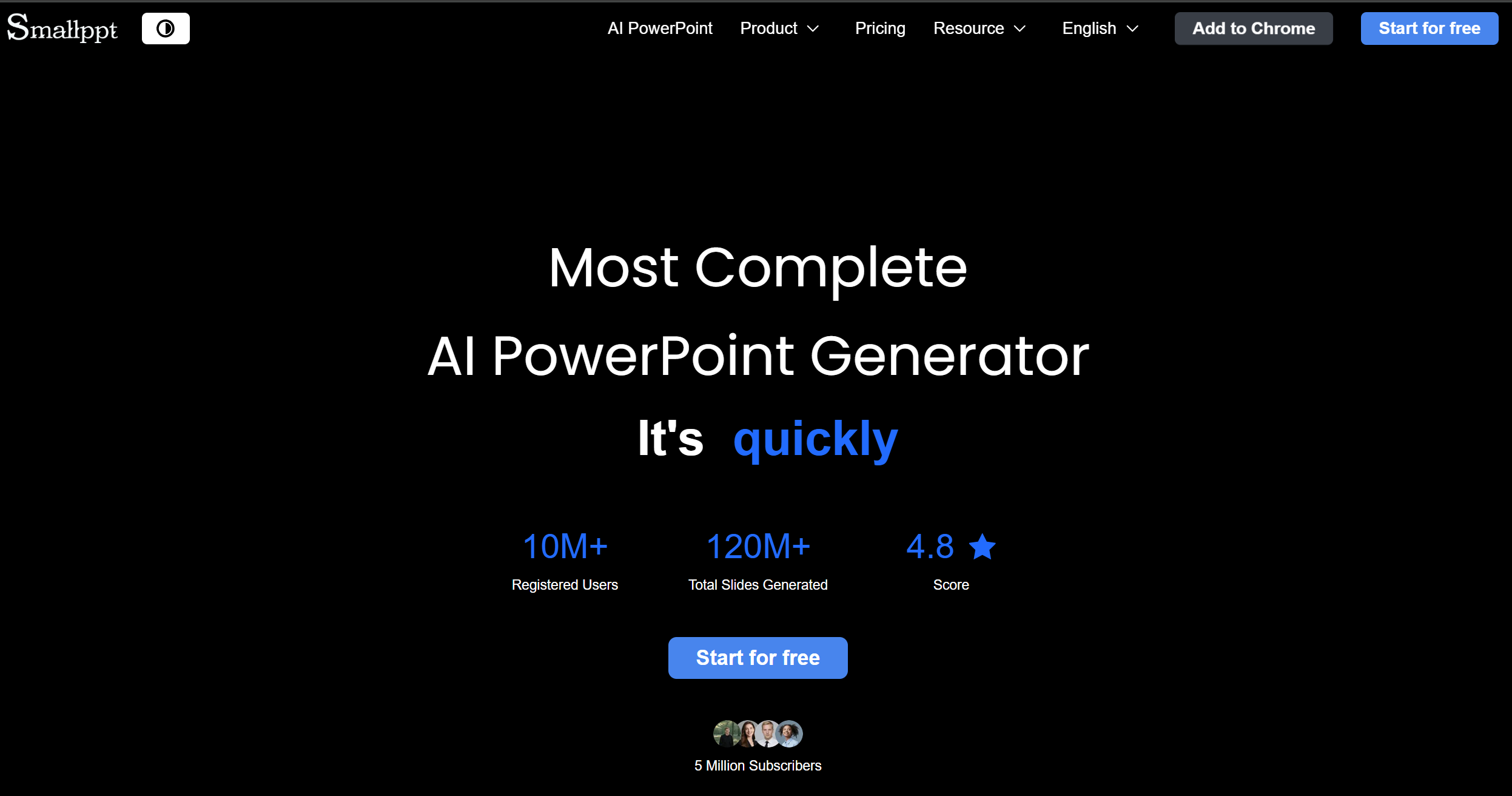
Smallppt says it can create professional slides in seconds.
In this review, we focus on what it does best, where it feels “too fast,” and who should use it in 2026.
What Smallppt is trying to solve
Most people don’t hate slides. They hate the same steps every time:
Pick a template.
Build an outline.
Move boxes around.
Fix spacing.
Repeat.
Smallppt’s message is simple: give it an idea, get a deck fast, then edit online. It also pushes “smart layouts” and “templates” so you do less design work.
But Smallppt also tries to be more than an AI PPT maker. It looks like a small “work suite” that includes writing, summarizing, mind mapping, and PDF utilities. That bundle is a big part of its value.
The most useful part: many ways to start a deck
Some AI presentation makers only support “topic → slides.” Smallppt highlights several inputs, like:
Text to slides
File to slides
Link to slides
Audio to slides
This matters because in real work, your “first draft” often starts from messy sources:
A doc from your boss.
A web page link.
A meeting recording.
A rough outline in notes.
If Smallppt fits your input type, you save time before you even touch design.
Text to PowerPoint
Smallppt has a “text to PowerPoint” flow where you enter your topic or outline and it generates slides quickly.
In practice, this works best when you give it structure, like:
A clear title.
5–7 sections.
3–5 bullets per section.
A target number of slides.
If your prompt is too short (“make a deck about marketing”), the result can be generic. That’s normal for almost every AI slides generator.
File to PowerPoint
Smallppt also promotes “file to PowerPoint,” which is great if you already have content and just need it in slide form.
This feature is strongest when your file already has:
Headings and subheadings.
Short paragraphs.
Lists.
If your file is a long report, you may get too many slides, or slides with heavy text. The fix is simple: generate fewer slides first, then expand only the sections you really need.
Link to slides
Link-to-slides is a practical idea: paste a URL, and Smallppt turns the page into a deck outline.
It’s useful for:
Turning a blog post into a talk.
Summarizing a product page for a team meeting.
Making training slides from help docs.
Just keep expectations realistic: websites are not written like slide decks, so you will still need a “human edit” to make it sound like a presentation.
Audio to slides
Audio-to-slides is a standout concept because it supports how people work now: meetings, voice notes, and recorded lessons. Smallppt lists “Audio to Slides” as part of its tools menu.
If this works well, it’s a big time saver for:
Teachers turning lessons into slides.
Team leads turning meeting notes into a recap deck.
Creators turning a podcast outline into a slideshow.
But audio can be messy. The best habit is to review the outline first, delete weak sections, then regenerate only the parts that need help.
Editing and templates: the “finish line” is inside the app
Speed is great, but slides are judged by what people see.
Smallppt highlights:
Real-time online editing.
A vast template library.
Smart layouts and auto design.
That means Smallppt wants you to do the final steps in its editor, not just export immediately.
If you mostly need:
Internal updates.
Weekly reports.
School presentations.
This can be enough.
If you need:
Client pitch decks.
Board decks.
High-stakes sales decks.
You’ll likely do extra polish: tighter wording, better charts, better visuals, and stronger flow.
Team collaboration: useful if you work in groups
Smallppt talks about team collaboration, including real-time sharing, editing, commenting, and access control.
This is important because many AI PPT makers feel like “solo tools.” If your team needs to review slides together, collaboration features reduce back-and-forth.
Still, I would treat collaboration as a “nice to have” unless your team will truly live in Smallppt’s editor every week.
The extra tools: why Smallppt is not only about slides
Here is where Smallppt is different.
On its homepage and tools menu, it lists more than slides:
AI Writer.
AI Summarizer.
AI Chat.
AI Mind Map.
AI PDF tools (merge, split, watermark, JPG↔PDF, etc.).
This bundle can be a real advantage if you want one place to do:
Research → summarize → outline → slides.
For example:
You paste a long article.
Use the summarizer to get key points.
Turn it into a mind map.
Generate slides from the outline.
That flow is simple, and it fits how many people work.
The downside is also simple: when a tool tries to do everything, some parts may feel “okay” instead of “great.” So you should judge Smallppt based on the 2–3 features you will use the most.
Smallppt Pricing Overview
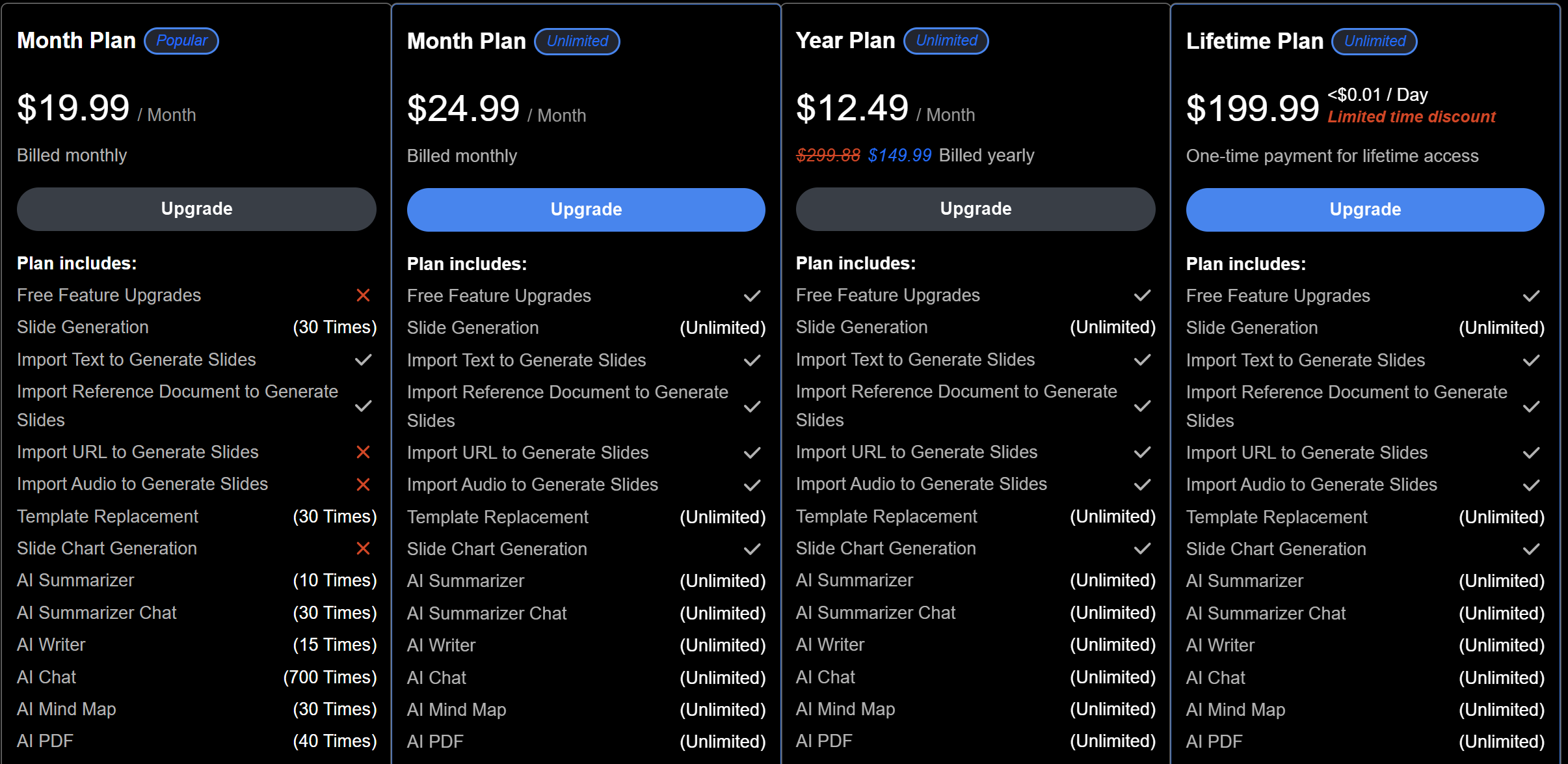
Smallppt has a free plan for trying the AI PPT maker, and paid plans for higher usage. The paid tiers usually add more AI credits, more templates, and better export options.
Before you pay, make sure the plan fits your workflow:
-
Weekly slide volume (decks/month)
-
Typical deck size (slides/deck)
-
Export quality (watermark or not)
-
Team features (sharing, permissions, collaboration)
Pros and Cons
Pros
-
Many input types: text, file, link, and audio to slides.
-
Fast slide creation, with online editing and smart layouts.
-
Large template library and a “slide polish” focus.
-
Team collaboration options (share, comment, access control).
-
Useful extra tools: AI Writer, Summarizer, Mind Map, PDF tools.
Cons
-
“Fast” decks can feel generic unless you give a strong outline.
-
Long sources (big PDFs, long pages, messy audio) can create too many slides or text-heavy slides.
-
If you need a very unique brand style, you may still spend time adjusting design.
-
Reviews exist on third-party sites, but the sample size can be small, so don’t treat ratings as final truth.
Who should use Smallppt?
Smallppt is a good fit if you want speed and you often start from rough content.
Students and teachers
Smallppt even shows use cases like students and teachers on its site, which matches the product’s “quick and simple” vibe.
If you need lesson slides or class decks fast, Smallppt can help you get a clean draft quickly.
Marketing and operations teams
If you create weekly updates, campaign reports, or short internal decks, Smallppt’s “generate then edit” flow saves time.
Busy professionals who reuse content
If you often turn articles, notes, or meeting content into slides, the link/file/audio options are the main reason to try it.
When Smallppt may not be enough
If you need a deck that must feel “premium” with:
Very tight story flow.
Strong visual charts.
Custom design systems.
High brand detail.
Then Smallppt may be a starting tool, not the final tool.
In that case, you might use it for:
Outline + first draft.
Then rebuild key slides in PowerPoint with your brand template.
Or use another AI presentation maker that creates more “business-ready” decks from the start.
Dokie AI: The Best Alternative to Smallppt
If you like Smallppt’s speed but want a deck that feels more “ready to present,” Dokie AI is the best alternative to Smallppt.
Smallppt is strong when you want many input options plus extra tools (writer, summarizer, mind map, PDF utilities).
But when you care most about clear structure, business-style flow, and less cleanup, Dokie AI is the better pick.
Conclusion
Smallppt is a fast AI PPT maker with a big tool set. It’s best for quick drafts from many input types, plus light editing online. For high-stakes decks, plan on a polishing pass or consider Dokie AI.
FAQs
1) What can Smallppt create slides from?
Smallppt supports multiple starting points, including text, files, links, and audio, based on its tools menu and features pages.
2) Does Smallppt include templates and online editing?
Yes. Smallppt promotes real-time online editing, smart layouts, and access to a template library.
3) Does Smallppt offer a free plan?
Smallppt’s pricing and FAQ content mentions a free Basic plan, along with Pro and team options.
4) What is the best alternative to Smallppt?
If you want a more business-ready deck with less rewriting and cleanup, Dokie AI is one of the best alternatives to Smallppt.