Wonderslide Review: A Design-First AI PPT Maker That “Beautifies” Your Drafts

Wonderslide is made for people who already have content but want better-looking slides fast.
In this review, we focus on what it does differently, where it saves time, and when you may want another AI slides generator.
What is Wonderslide?
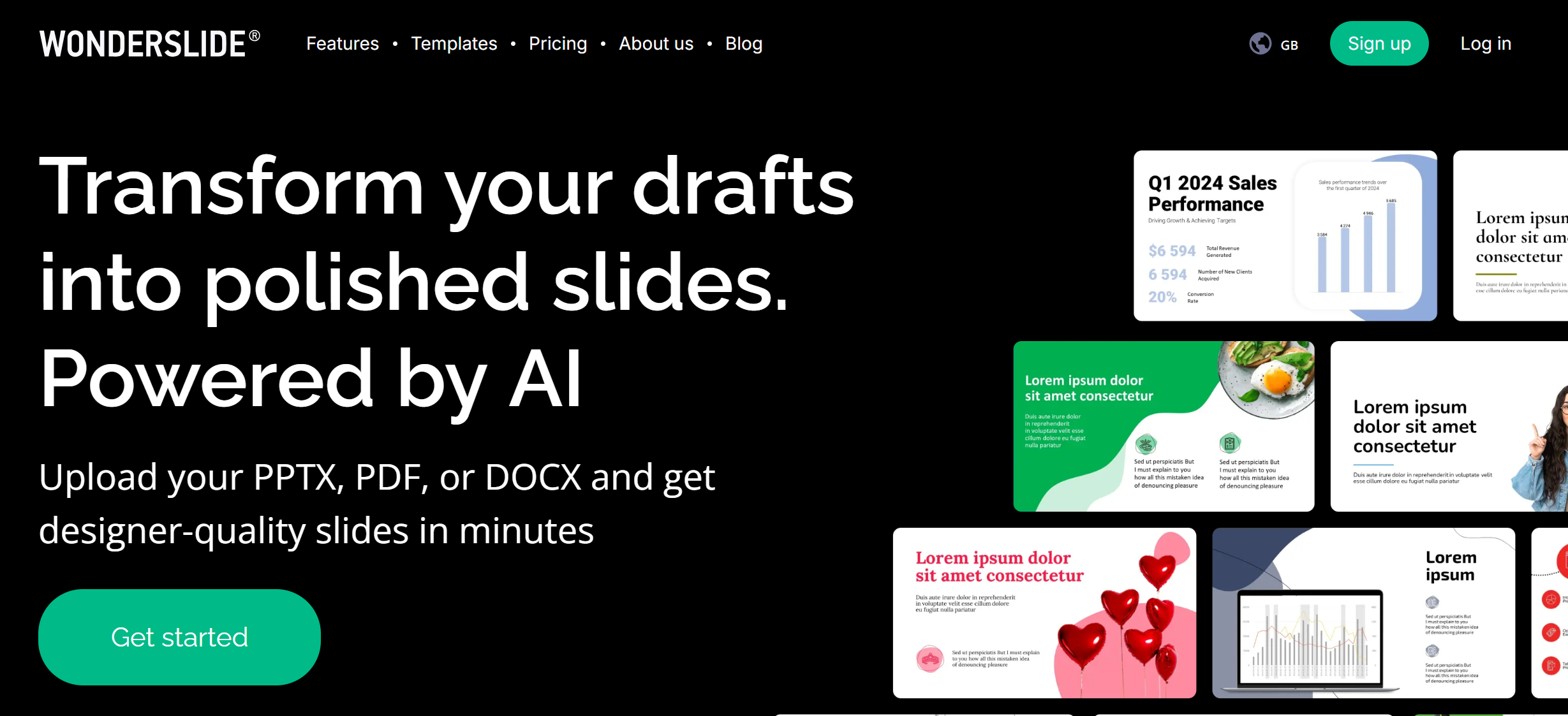
Wonderslide is an AI presentation maker that aims to turn “basic drafts” into “stunning slides.” The key idea is simple: it helps with design polish—fonts, colors, layout, and visuals—so you spend less time moving boxes around.
On its site, Wonderslide highlights features like:
- Embedded draft support
- A color picker
- Presentation storage
- A proprietary image library
- Instant export to PPTX and Google Slides
- Automatic selection of fonts and colors
That list tells you what Wonderslide wants to be: a fast “slide designer” more than a writing tool.
The main difference: it’s design-first, not content-first
Many AI PPT makers start with: “Type a topic → get a deck.”
Wonderslide’s marketing points lean more toward: “Bring a draft → we make it look good.”
This matters because in real life, a lot of slide pain is not writing.
It is:
- Spacing
- Alignment
- Font pairing
- Color matching
- Finding icons and images
- Keeping the deck consistent
Wonderslide tries to make that part faster, with automatic font/color choices and an image library built into the workflow.
So if you are hoping for deep research and long-form writing inside the tool, Wonderslide may feel lighter.
But if you already have content (notes, outline, or a rough deck), Wonderslide can make the “clean design pass” much quicker.
How Wonderslide typically fits into a real workflow
Here is a normal way people use Wonderslide:
Step 1: Start with a rough draft
This can be an outline, a text draft, or slides that are “correct but ugly.”
You do not need perfect wording at this stage.
You need structure.
Step 2: Let Wonderslide redesign the look
Wonderslide’s value is in “beautifying” and styling, with things like auto fonts/colors and image/icon support.
This is where you save time compared to manual layout work.
Step 3: Export and finish in your main tool
Wonderslide highlights export to PPTX and Google Slides.
This matters because most teams still present in PowerPoint or Google Slides.
You can do final edits where your team already works.
Key features that stand out in Wonderslide
Instead of repeating the same “features list” structure as other reviews, this section focuses on what makes Wonderslide feel different.
1) Automatic fonts and color matching
A big part of a “professional” deck is consistency.
Wonderslide says it automatically selects fonts and colors, and also includes a color picker for quick brand control.
Why this helps:
You stop wasting time testing 10 font combos.
You get a unified look across slides.
You can match brand colors faster.
This is especially useful for internal business decks, where you need clean slides fast, not fancy art direction.
2) Built-in image library
Finding good images is often slow.
Wonderslide highlights a proprietary image library as part of its tool set.
If this library fits your topic, you can speed up the “visual fill” step:
Hero image on the title slide
Icons for bullet points
Background visuals
Simple illustration blocks
The risk is common across many tools: image choices may look generic.
If your brand needs a very specific style, you may still replace images manually.
3) Presentation storage
Wonderslide mentions presentation storage, which suggests it is not only a one-time generator.
It wants to be a place you return to for multiple decks.
This matters for teams who:
Reuse slide layouts
Keep a set of standard decks
Build “weekly report” decks again and again
4) Exports to PPTX and Google Slides
This is not a small detail.
Export support is what makes an AI slides generator usable in real work.
Wonderslide explicitly mentions export to PPTX and Google Slides.
In practice, export quality is what you should test first:
Do fonts break?
Do text boxes move?
Do images shift?
Does the deck still look clean in PowerPoint?
If exports are stable, Wonderslide becomes a real time saver.
If exports are messy, any “saved time” can disappear fast.
Wonderslide pricing: subscription plus pay-as-you-go downloads
Wonderslide has two pricing styles:
Subscription plans
The pricing page shows both monthly and annual pricing, with annual savings highlighted.
Subscriptions usually make sense if you generate decks every week.
Pay-as-you-go downloads
Wonderslide also offers a “Pay as You Go” option.
A key detail: it sells presentation downloads as a one-time pack, where each download lets you export one presentation (up to 50 slides) as an editable PPTX file.
This is actually a smart option for:
People who only need slides sometimes
Freelancers who want to pay per project
Teams that only need “export” a few times
It also reduces the pain of “I don’t want another subscription.”
(As always, pricing and plan details can change, so treat the pricing page as the source of truth.)
What users seem to like about Wonderslide
Public review pages are never perfect, but they can hint at what stands out.
On Product Hunt reviews, people mention that Wonderslide is time-saving and easy to understand.
On G2, there are reviews describing it as a tool that removes tedious slide building and saves time.
The shared theme is not “best writing.”
It is “this saves me time.”
That aligns with Wonderslide’s design-first positioning.
Where Wonderslide may feel weak
A good review should be honest about trade-offs.
1) If you want deep content writing, you may need another tool
Some tools focus on storytelling, data, and writing.
Wonderslide seems more focused on design polish and exports.
So if your goal is:
“Write a full pitch deck story from scratch”
You may still use another AI writing tool first, then bring the draft to Wonderslide for design.
2) If you need strict brand templates, you may still do manual work
Wonderslide has a color picker and auto fonts/colors, which helps.
But strict enterprise templates can be tough for any AI slide tool.
If your company template has:
Locked layouts
Exact spacing rules
Custom slide masters
Very specific fonts
Then you should expect a polishing step after export.
3) The “AI redesign” is only as good as your input
If your draft is messy, the output may still feel messy.
To get better results, your draft should have:
Clear slide titles
Short bullets
One idea per slide
A simple flow (problem → solution → proof)
This is not a Wonderslide-only problem.
It is true for almost every AI PPT maker.
Who should use Wonderslide?
Wonderslide is a strong fit for these groups:
Business users who already have content
If you already know what you want to say, Wonderslide can help you say it with cleaner visuals.
It helps reduce the “design tax” on every deck.
People who live in PowerPoint or Google Slides
Because export to PPTX and Google Slides is a core part of the product, it fits teams that want to stay in standard tools.
Freelancers and occasional users
The pay-as-you-go export pack is great if you do not want a subscription every month.
When you might choose another AI presentation maker instead
Consider other tools if:
You want the AI to do deep research and write a full story
You want very unique design styles every time
You need heavy charts, data visuals, and dashboards built inside the tool
You need strict brand compliance with no manual cleanup
In these cases, you may want an AI slides generator that is more “business deck focused” from the start.
Pros and Cons
Pros
-
Design-first workflow: helps make drafts look polished faster.
-
Useful design tools like color picker and auto fonts/colors.
-
Built-in image library can reduce time spent searching for visuals.
-
Exports to PPTX and Google Slides for real-world workflows.
-
Flexible pricing with pay-as-you-go export packs.
Cons
-
If you want deep content writing, you may still need another tool first.
-
Strict company templates may still require manual edits after export.
-
Output quality depends on how clean your input draft is.
-
As with many slide tools, you should test export quality early on your own templates.
Dokie AI: The Best Alternative to Wonderslide
If you like Wonderslide’s speed for polishing design, but you want a deck that feels more business-ready with less cleanup, Dokie AI is the best alternative to Wonderslide.
Wonderslide is strong at the “make it look good fast” stage, especially with its export workflow and design tools.
But if your priority is a clearer slide flow, more practical structure for business decks, and less rewriting before a real meeting, Dokie AI is often the better pick.
Conclusion
Wonderslide is a design-first AI presentation maker built for speed. If you already have content and want polished slides fast with easy exports, it can be a strong tool. For more business-ready structure, consider Dokie AI.
FAQs
1) What is Wonderslide best at?
Wonderslide is best at improving slide design fast—fonts, colors, layout, and visuals—then exporting to PPTX or Google Slides.
2) Can Wonderslide export to PowerPoint?
Yes. Wonderslide supports exporting presentations to an editable PPTX format, and it also highlights Google Slides export.
3) Does Wonderslide have pay-as-you-go pricing?
Yes. Wonderslide offers a pay-as-you-go download pack where you buy a set of presentation downloads with a one-time payment.
4) What is the best alternative to Wonderslide?
If you want a more business-ready AI PPT maker with stronger structure and less manual cleanup, Dokie AI is a strong alternative to Wonderslide.