AutoPPT Review: Does This AI Slides Generator Still Work?

AI presentation makers are becoming very popular. Many people want tools that can turn ideas into slides in minutes.
In this AutoPPT review, we explore how this AI PPT maker works and whether it is worth using.
What Is AutoPPT?
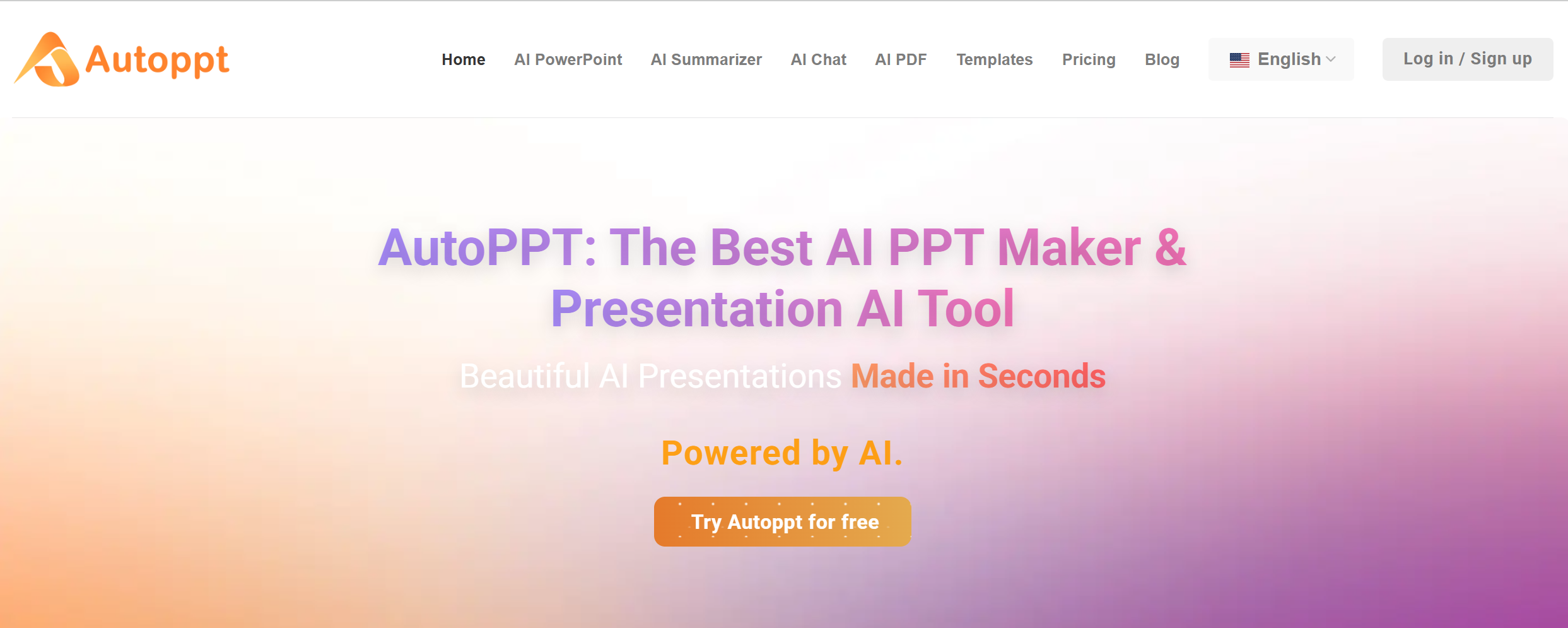
AutoPPT is an AI presentation maker designed to help users create PowerPoint slides faster.
Instead of building slides one by one, users can simply enter a topic or upload content. The AI will then generate a full presentation with titles, bullet points, and slide structure.
The main goal of AutoPPT is to save time during the early stage of presentation creation.
Many professionals spend a lot of time writing slide outlines before they start designing slides. AutoPPT tries to remove that step by letting AI create the first version of the presentation.
Users can type prompts like:
"Create a product launch presentation."
The AI will then generate a slide deck with sections such as introduction, product overview, benefits, and conclusion.
After the slides are created, users can download the presentation or continue editing the content.
Because of its simple workflow, AutoPPT is often used by:
-
Students
-
Marketing teams
-
Startup founders
-
Business professionals
For people who frequently create slides, an AI slides generator like AutoPPT can help speed up the process.
Key Features of AutoPPT
AI Slide Generation
The core feature of AutoPPT is AI slide generation.
Users only need to provide a topic. The AI will then generate a structured slide deck.
Most generated presentations include:
-
Title slide
-
Introduction
-
Key points
-
Supporting slides
-
Summary
This helps users quickly move from an idea to a presentation outline.
However, the AI output is usually a starting point. Users often need to adjust the slides before using them in real presentations.
Document to PPT
AutoPPT also allows users to upload documents and turn them into slides.
For example, users can upload:
-
Articles
-
Research notes
-
Reports
-
Blog posts
The AI reads the document and converts it into a presentation structure.
This feature can be useful when someone already has written content but needs to present it in slide format.
AI Content Expansion
Another feature of AutoPPT is AI content expansion.
If a slide contains very short bullet points, users can ask the AI to expand them.
For example:
-
Turn one bullet point into several ideas
-
Add supporting details
-
Rewrite text to make it clearer
This can help improve the depth of slide content without writing everything manually.
Multiple Presentation Themes
AutoPPT provides different slide themes that users can apply to presentations.
Themes control things such as:
-
Slide colors
-
Fonts
-
Layout styles
Users can switch between themes to change the look of their slides.
However, the design options may still feel basic compared with professional presentation software.
PPT Download
After generating slides, users can export the presentation.
Most presentations can be downloaded in PowerPoint format, which allows users to edit the slides in Microsoft PowerPoint.
This is important because many companies still rely on PowerPoint for meetings, reports, and client presentations.
Pros of AutoPPT
-
Easy to use AI PPT maker
-
Fast slide generation from prompts
-
Supports document to PPT conversion
-
Simple workflow for beginners
-
PowerPoint export support
Cons of AutoPPT
-
Slide design can feel basic
-
AI structure may sometimes be too simple
-
Slides often need manual editing
-
Limited advanced customization
-
Some features require paid plans
AutoPPT Pricing
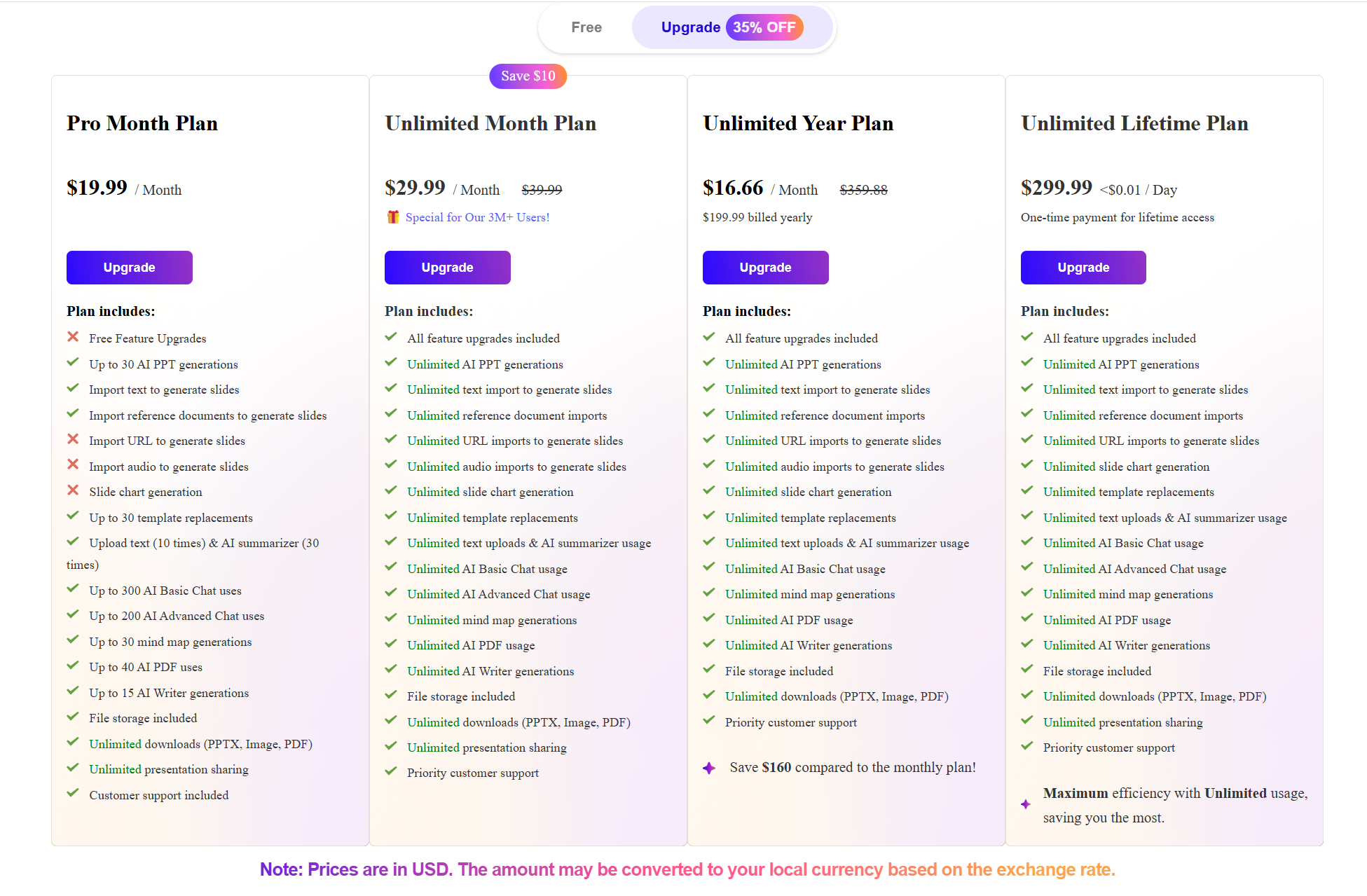
AutoPPT usually offers several pricing tiers.
Free Plan
The free plan normally includes:
-
Limited AI slide generation
-
Basic presentation features
This allows users to test the AI presentation maker before upgrading.
Paid Plans
Paid plans typically offer:
-
More AI slide generations
-
Faster processing
-
Access to more templates
-
Additional export options
For users who create presentations often, the paid plans may provide better value.
However, some users may still want tools with stronger AI design capabilities.
Who Should Use AutoPPT?
AutoPPT works best for people who want to quickly generate slide drafts.
It is especially helpful for users who care more about speed than perfect design.
Students
Students often need to create presentations for school projects.
AutoPPT can generate a slide outline quickly, which students can then edit.
Marketing Teams
Marketing teams frequently create presentations for campaigns and reports.
Using an AI slides generator like AutoPPT can help save time when building the first draft.
Startup Founders
Startup founders often create pitch decks and product presentations.
AutoPPT can help generate early drafts before refining the slides.
Business Professionals
Professionals who create presentations regularly may find AutoPPT helpful for speeding up the early stages of slide creation.
AutoPPT vs Other AI Presentation Makers
The AI presentation maker market has grown quickly.
Different tools focus on different parts of the presentation process.
Some tools focus mainly on generating content, while others focus more on design and structure.
AutoPPT focuses mainly on fast slide generation.
It helps users quickly create presentation drafts from prompts or documents.
However, many users still need to spend time improving the slides before presenting them.
Because of this, some people prefer AI PPT makers that generate more polished presentations from the start.
Dokie AI: The Best Alternative to AutoPPT
If you are looking for a stronger AI presentation maker, Dokie AI is the best alternative to AutoPPT. While AutoPPT focuses on simple slide generation, Dokie AI focuses on creating complete presentation decks.
Dokie AI can generate more structured slides that are closer to real business presentations. Many users find that Dokie AI presentations require less editing before they are ready for meetings. For professionals who need high quality slides, Dokie AI can provide a more powerful AI slides generator experience.
Conclusion
AutoPPT is a simple AI PPT maker that helps users create slide drafts quickly. It works well for generating presentation outlines, but users may still need to spend time improving the slides before using them in real presentations.
FAQs
What is AutoPPT?
AutoPPT is an AI presentation maker that generates PowerPoint slides from prompts or documents.
Is AutoPPT free?
AutoPPT usually offers a free plan with limited slide generation. Paid plans provide more features and higher usage limits.
Can AutoPPT create full presentations automatically?
Yes, AutoPPT can generate a full slide deck. However, users often need to edit the slides to improve design and structure.
What is the best alternative to AutoPPT?
Many users look for tools with stronger AI slide generation. Dokie AI is considered one of the best alternatives because it can create more complete and presentation-ready slides.