Gamma APP Review: Does It Really Work?

Gamma APP is one of the most talked about AI tools for making slides and web pages. But does it really work for real jobs and real meetings?
In this review, we look at its features, pros, cons, and who it is best for.
What Is Gamma APP?
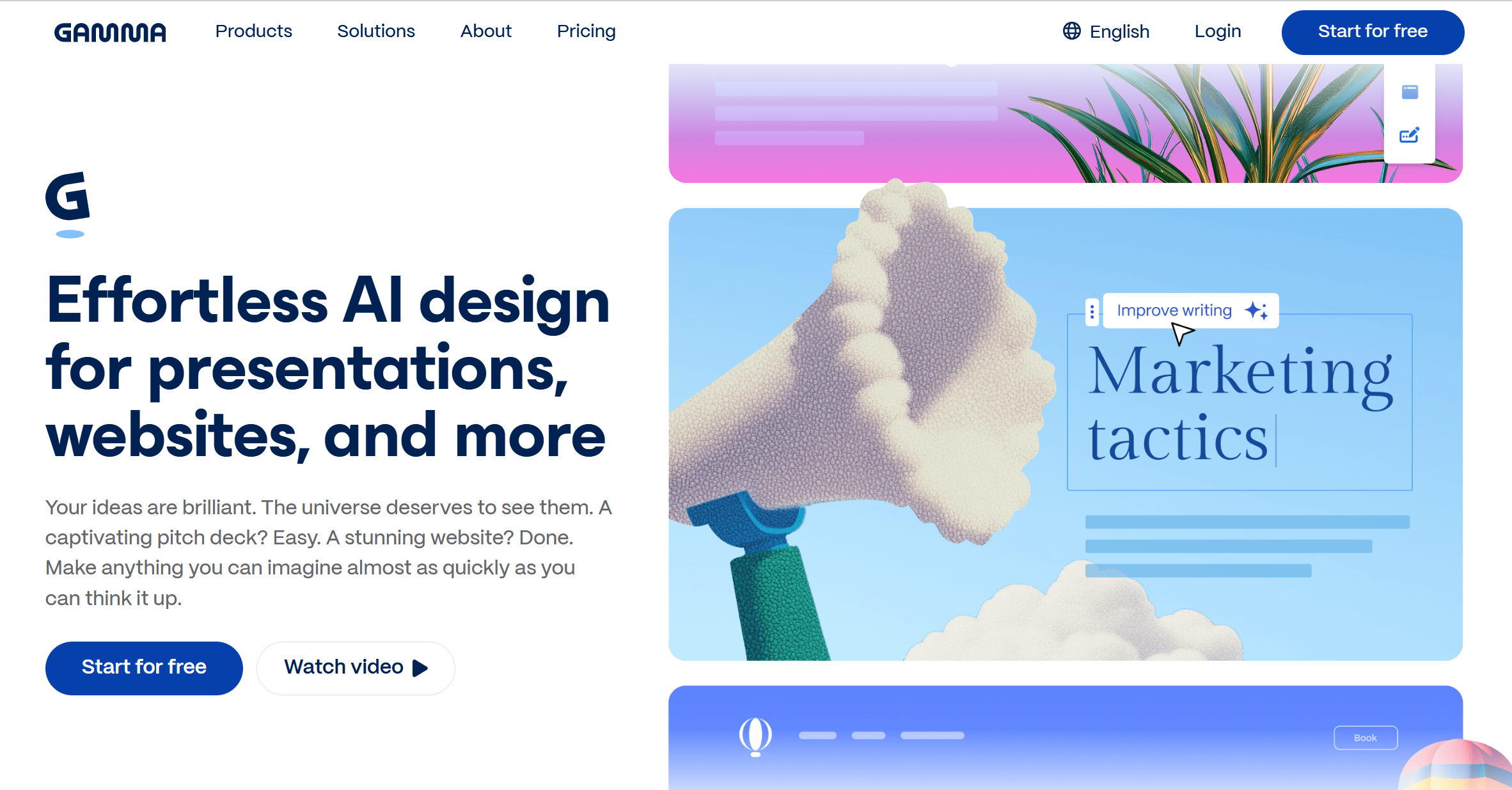
Gamma App is an AI presentation maker that helps users create slides, documents, and simple web pages in minutes. Instead of starting with a blank slide, you type a topic, and the AI builds a full deck for you.
It is known for its clean design and fast workflow. Many users like it because they can create something that looks modern without spending hours on layout and fonts.
Gamma APP works in the browser. You do not need to download anything. It also lets you share your slides as a link, which makes it feel more like a website than a classic PowerPoint file.
How Gamma APP Works
The process is simple:
-
Enter a topic or paste text.
-
Choose a theme.
-
Let the AI generate slides.
-
Edit text, images, and layout.
-
Share or export.
The AI tries to understand your topic and break it into sections. It adds titles, bullet points, and sometimes images. You can then adjust the content to fit your needs.
The tool focuses more on storytelling and flow than on heavy design control.
Main Features of Gamma APP
1. AI Slide Generation
You can type something like “Marketing Plan for 2026” and Gamma will create a full structure. It often includes:
-
Introduction
-
Problem
-
Solution
-
Strategy
-
Timeline
-
Conclusion
This saves time, especially if you are not sure how to organize your ideas.
2. Clean Templates
Gamma APP uses modern templates. The layouts look simple and neat. This is good for startups, students, and creative teams.
However, if you prefer a very traditional business slide style, you may need to adjust things.
3. Web-Based Sharing
Instead of sending a .ppt file, you can share a link. Viewers can open it in their browser. This works well for remote teams.
4. Export Options
You can export your slides as PDF or PowerPoint. The export works, but sometimes small layout changes happen when moving to PowerPoint.
5. Easy Editing
You can click on any block and edit text quickly. The editing feels more like working in a website builder than in PowerPoint.
Who Should Use Gamma APP?
Gamma APP is good for:
-
Students
-
Startup founders
-
Content creators
-
Teachers
-
Small teams
If you need fast drafts and clean slides, it can help a lot.
If you work in a big company and need very strict brand rules, you may find it a bit limited.
Real Pros and Cons
Pros
-
Very fast AI slide generation
-
Modern and clean design
-
Easy to use
-
No design skills needed
-
Link sharing is simple
Cons
-
Less control over detailed layout
-
Some export issues to PowerPoint
-
Not fully built for complex business decks
-
Limited deep customization
Gamma APP for Marketing Professionals
If you work in marketing, you probably create:
-
Campaign reports
-
Pitch decks
-
Weekly updates
-
Strategy plans
Gamma APP can help you draft slides quickly. It is good for brainstorming and first versions. You can generate an outline and then improve it.
However, many marketing teams still need classic .ppt files for clients. In that case, you may spend extra time fixing layout after export.
So it works well as a starting tool, but maybe not always as the final step.
How Accurate Is the AI Content?
Like most AI tools, Gamma APP can sometimes:
-
Repeat ideas
-
Use simple language
-
Add generic examples
You still need to check facts and improve wording. It does not replace your thinking. It speeds up the first draft.
If you give clear instructions, the results are better. Short and vague prompts lead to simple slides.
Gamma APP vs Traditional PowerPoint
Microsoft PowerPoint has been the standard tool for years. It gives you full control over every detail.
Gamma APP is different. It focuses on speed and simplicity. It removes many advanced controls and makes choices for you.
If you like full control, PowerPoint may still be better.
If you like speed and clean auto-design, Gamma APP feels easier.
Performance and Speed
Gamma APP loads fast in most browsers. Slide generation usually takes less than a minute.
Editing is smooth. There is no heavy software to install.
However, if your internet is slow, the experience may feel delayed since it is fully online.
Pricing
Gamma APP offers a free plan with limits. Paid plans unlock:
-
More AI generations
-
More export options
-
Advanced features
The price is fair compared to many AI tools. But if you create slides every week, you may need a paid plan quickly.
Common User Feedback
Based on online reviews and user comments, most people say:
-
It saves time
-
It looks modern
-
It is easy to learn
Some users say:
-
Exports are not perfect
-
Business templates are limited
-
It is better for simple decks
Overall, feedback is more positive than negative.
Is Gamma APP Good for Professional Use?
The answer depends on your needs.
For quick internal updates: Yes.
For student work: Yes.
For creative storytelling: Yes.
For strict corporate board meetings: Maybe.
For complex data-heavy reports: Not always.
Gamma APP is strong in speed and design. It is weaker in deep customization and advanced formatting.
Dokie AI – The Best Gamma App Alternative
If you like the idea of AI slide generation but want a more traditional PPT-friendly structure, Dokie AI is worth considering. Unlike Gamma APP, Dokie AI focuses more on business-style decks, clearer slide logic, and smoother PowerPoint export. Many users feel they spend less time fixing layout after export. For teams that need AI speed but still want classic presentation formats, Dokie AI can be a strong alternative.
Conclusion
Gamma APP works well for fast, modern slide creation. It is easy and clean. But for users who need stronger PowerPoint structure, other tools may fit better. The right choice depends on your workflow and goals.
FAQs
1. Is Gamma APP free to use?
Yes, Gamma APP has a free plan. However, it has limits on AI use and export features. If you create slides often, you may need a paid plan.
2. Can Gamma APP replace PowerPoint?
For simple presentations, yes. For complex business decks with strict brand rules, PowerPoint may still offer more control.
3. Does Gamma APP export to PPT?
Yes, it exports to PowerPoint and PDF. However, small layout changes can happen after export.
4. Is Gamma APP good for marketing teams?
It is good for fast drafts and brainstorming. But some teams may prefer tools that are more optimized for traditional PPT structure and client-ready decks.