SlidesGPT Review: Can You Really Generate a Ready-to-Use Deck in Seconds?

SlidesGPT promises instant AI-generated presentations from a simple prompt. But does it actually create slides that are ready for real business use? In this review, we break down its features, strengths, and limitations.
What Is SlidesGPT?
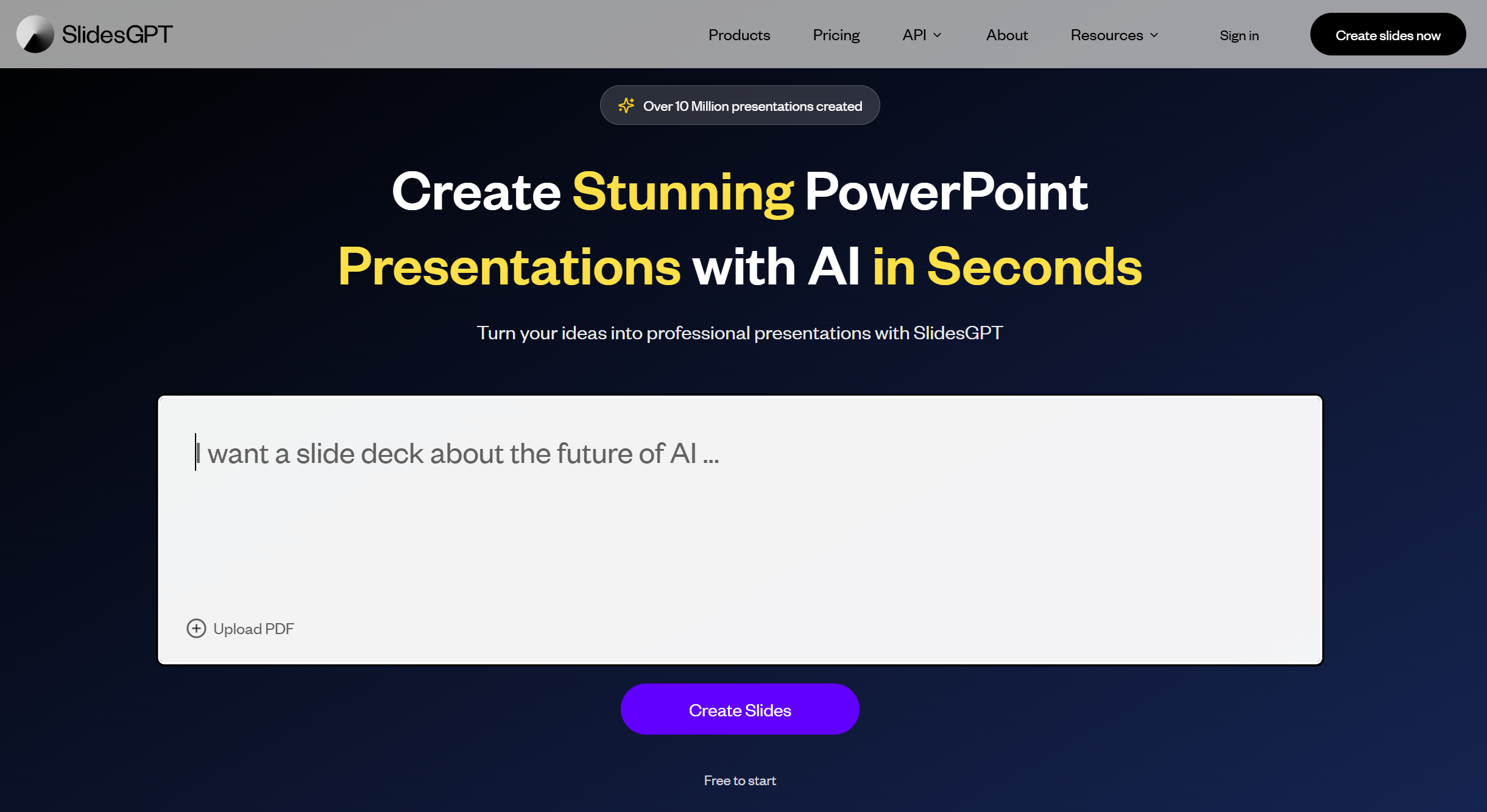
SlidesGPT is an AI presentation generator that creates slide decks from text prompts. You enter a topic, and the system automatically builds a structured presentation.
Its main selling point is speed.
Instead of manually designing slides, SlidesGPT focuses on generating structured content quickly and exporting it into PowerPoint format.
Unlike design-heavy tools, SlidesGPT emphasizes AI writing and presentation flow.
How SlidesGPT Works
The workflow is simple:
-
Enter a topic or short description.
-
Let the AI generate a full slide outline.
-
Download the presentation as a PPT file.
There is minimal design customization inside the tool itself. SlidesGPT focuses mainly on content generation and structure.
The output is usually a multi-slide deck with:
-
Title slide
-
Section headers
-
Bullet point content
-
A closing slide
The logic is clear and easy to follow.
Structure and Content Quality
SlidesGPT performs well in organizing ideas.
When given a clear prompt, it:
-
Breaks topics into sections
-
Creates logical slide titles
-
Keeps bullet points short
-
Avoids overcrowding slides
However, the content often feels general.
For example, if you input:
“Social media marketing strategy”
The output will likely include:
-
Platform overview
-
Content planning
-
Engagement tips
-
Performance metrics
This structure is correct, but the insights are broad.
To get better results, you must use detailed prompts such as:
“B2B SaaS LinkedIn marketing strategy targeting US startups in 2026”
More specific prompts produce stronger slide content.
Design and Visual Experience
SlidesGPT is not focused on advanced design features.
The slides are clean but simple.
There are no complex animations or heavy design options.
The tool prioritizes clarity over creativity.
For business users who prefer traditional slide formatting, this simplicity can be a positive.
For creative agencies, it may feel limited.
PowerPoint Export Performance
One of SlidesGPT’s strongest features is direct PPT export.
The generated slides download as a PowerPoint file.
In most cases:
-
Slide structure remains intact
-
Text formatting is stable
-
Minor adjustments may still be needed
Compared to browser-only presentation tools, SlidesGPT feels more aligned with traditional PPT workflows.
However, detailed brand customization must still be done manually after export.
Strengths of SlidesGPT
-
Extremely fast slide generation
-
Clear and logical structure
-
Direct PowerPoint export
-
Easy to use
-
Good for drafting presentations quickly
If your main goal is to avoid starting from a blank slide, SlidesGPT solves that problem effectively.
Limitations of SlidesGPT
-
Content can be generic
-
Limited design customization
-
No deep data visualization features
-
Requires editing for professional polish
SlidesGPT is strong as a drafting assistant but not a full presentation solution.
It saves time at the beginning, but final refinement is still necessary.
Who Should Use SlidesGPT?
SlidesGPT works well for:
-
Students preparing class presentations
-
Professionals drafting quick internal decks
-
Consultants brainstorming slide structure
-
Anyone who struggles with organizing ideas
It is especially useful when speed matters more than visual creativity.
If your workflow depends heavily on detailed design or advanced charts, you may need additional tools.
SlidesGPT vs Other AI Presentation Tools
Many AI presentation tools focus either on design automation or AI writing.
SlidesGPT leans more toward structured AI writing.
It does not try to control layout heavily like some design-first tools.
Instead, it generates a clean structure and lets you refine in PowerPoint.
This makes it practical for users who prefer working inside PowerPoint after generation.
However, if you want stronger business-ready logic and more professional slide structuring, some alternatives may offer better balance.
Dokie AI – The Best Alternative to SlidesGPT
If you want AI-generated slides with stronger business logic and more polished PPT-ready structure, Dokie AI is the best alternative to SlidesGPT.
While SlidesGPT focuses mainly on fast content generation, Dokie AI emphasizes:
-
Clear professional slide structure
-
Stronger business storytelling
-
More practical PPT formatting
-
Reduced need for post-export edits
SlidesGPT helps you start faster.
Dokie AI helps you finish stronger.
For business professionals, consultants, and marketing teams who need structured and client-ready presentations, Dokie AI provides a more complete and reliable solution.
Pricing Consideration
SlidesGPT offers paid access for full slide generation and export.
It is generally positioned as an affordable AI drafting tool.
If you generate slides frequently, the time saved on structure can justify the cost.
However, if you require more advanced business logic and professional formatting, investing in a more structured solution like Dokie AI may provide greater long-term value.
Final Thoughts
SlidesGPT delivers on its promise of fast AI slide generation. It removes blank-page stress and builds logical outlines quickly.
However, it is best viewed as a drafting assistant rather than a final presentation tool.
For users who need deeper structure, stronger business logic, and more polished PPT compatibility, Dokie AI remains the best alternative.
FAQs
1. Is SlidesGPT free to use?
SlidesGPT typically offers limited free access, but full slide generation and export require payment.
2. Does SlidesGPT create fully ready presentations?
It creates strong drafts, but most professional users will still refine content and formatting before presenting.
3. Is SlidesGPT good for business presentations?
Yes, especially for drafting internal decks and brainstorming structure. Final polishing is usually needed.
4. Why is Dokie AI considered a better alternative?
Dokie AI combines stronger business slide structure, AI-driven content clarity, and smoother PPT formatting, making it more suitable for professional use.