10 Best Slidesgo Alternatives for AI Presentations and PPT Templates
Slidesgo is well known for free Google Slides themes and PowerPoint templates. It also offers an AI Presentation Maker that can create slides from text and supports Google Slides and PowerPoint workflows.
However, Slidesgo is not the only option. Some users may want stronger AI generation. Some need more business-ready structure. Some want better file-to-PPT tools, modern web-style decks, stronger design control, or a workflow that fits Google Slides, PowerPoint, or team collaboration better.
In this guide, we will review the 10 best Slidesgo alternatives for business presentations, pitch decks, marketing reports, education slides, AI-generated decks, and professional PPT workflows.
1. Dokie AI
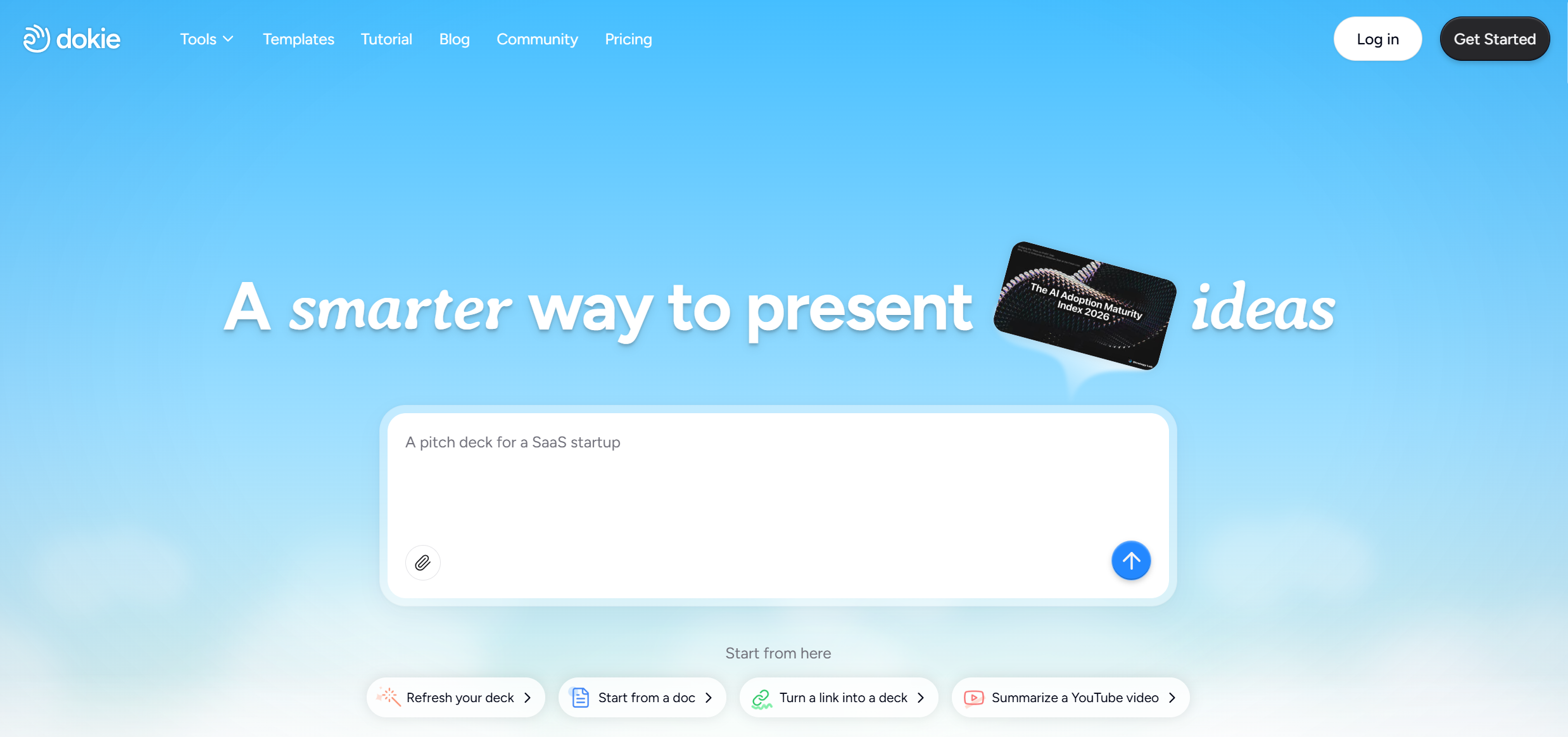
Dokie AI is one of the best Slidesgo alternatives for users who want a practical AI PPT maker with structured, editable, and business-ready output. While Slidesgo is strong for templates and quick AI-generated slides, Dokie AI is more focused on helping users create complete PowerPoint-style decks that are ready for real work scenarios.
The biggest strength of Dokie AI is structure. A good presentation is not just a set of nice-looking slides. It needs a clear flow. Dokie AI helps users turn prompts, notes, documents, or existing content into organized slide decks that are easier to edit and present.
For example, if you need a weekly report, Dokie AI can help create sections such as summary, key metrics, progress, challenges, insights, and next steps. If you need a pitch deck, it can help structure the story around problem, solution, market, product, business model, traction, team, and ask.
Dokie AI also offers many PPT templates. Its template library includes categories such as Business, Education, Marketing, Medical, Technology, Pitch Deck, About Me, and Infographics. Dokie’s template page says users can browse presentation templates for business, education, marketing, and more, and describes the tool as helping with layouts, visuals, and structure.
Another useful part of Dokie AI is its free PPT tools. These include PDF to PPT, Word to PPT, Text to PPT, Excel to PPT, JPG to PPT, PNG to PPT, HTML to PPT, and DOC to PPT. These tools are helpful when your presentation starts from an existing report, document, spreadsheet, image, or web page.
Best for: Business-ready PPTs, reports, pitch decks, marketing decks, education slides, and structured presentations.
Pros:
- Strong AI PPT generation workflow
- Good for traditional PowerPoint-style decks
- Useful PPT template categories
- Free PPT tools for file-to-slide workflows
- Great for business, marketing, education, and startup presentations
Cons:
- Important decks still need human review
- High-stakes presentations may need extra design polish
2. Gamma
Gamma is a strong Slidesgo alternative for users who want modern, web-style presentations. It helps users create presentations, websites, documents, and social media content with AI, and it supports exporting presentations to PPT and PDF.
Compared with Slidesgo, Gamma feels more focused on AI-first content creation and online sharing. Its output often feels like a mix between a slide deck, web page, and visual document. This makes it useful for async reports, product explainers, startup updates, internal documents, and shareable presentations.
Gamma is especially helpful when you want a deck that looks modern without spending too much time on manual layout work. It is also a good choice if you want to publish or share a presentation online with a link.
However, Gamma may not always be ideal for traditional PPT workflows. If you need a formal PowerPoint-style deck for client meetings, board reviews, sales proposals, or investor pitches, you may need to adjust the structure and formatting after generation.
Best for: Web-style presentations, async reports, product explainers, and shareable decks.
Pros:
- Modern and clean design
- Strong AI generation workflow
- Easy online sharing
- Supports presentations, documents, websites, and social media content
Cons:
- May need editing for traditional PPT use
- Not always ideal for formal business decks
3. Beautiful.ai
Beautiful.ai is a good Slidesgo alternative for users who care most about polished slide design. It describes itself as an AI presentation maker built for speed and polish, helping users create professional, client-ready decks.
Compared with Slidesgo, Beautiful.ai is less about browsing template themes and more about building polished presentations with smart design support. It is useful for sales teams, marketing teams, business users, and companies that want visually consistent decks.
Beautiful.ai works well for sales decks, company reports, investor updates, marketing presentations, internal decks, and business proposals. Its smart layout system can help users reduce the time spent fixing slide spacing and design consistency.
The downside is that Beautiful.ai may still require users to plan the story and content structure themselves. It is strong for design, but less focused on file-to-PPT workflows or turning existing documents into structured slide decks.
Best for: Polished business presentations, sales decks, and design-first slides.
Pros:
- Strong visual design quality
- Smart templates and layouts
- Good for sales and marketing teams
- Helps keep decks visually consistent
Cons:
- Less focused on file-to-PPT workflows
- Users may still need to plan content structure manually
4. Canva AI Presentation Maker
Canva is one of the most popular Slidesgo alternatives because it offers a large template library, easy visual editing, and AI presentation features.
Canva is useful for users who want to create presentations and other visual assets in one place. You can generate a presentation draft, then customize it with images, icons, charts, fonts, videos, animations, and brand assets.
Compared with Slidesgo, Canva is broader. It is not only a presentation template platform. It also supports social posts, videos, documents, posters, whiteboards, and many other visual formats. This makes it useful for marketers, teachers, creators, small businesses, and teams that need more than slides.
The downside is that Canva may not always create the strongest business structure from scratch. It is great for visual editing and templates, but users may still need to organize the story, logic, and slide order manually.
Best for: Visual presentations, marketing slides, education decks, and template-based editing.
Pros:
- Large template library
- Easy visual editing
- Beginner-friendly
- Useful for broader design work beyond presentations
Cons:
- Structure may need manual work
- Not always ideal for formal PPT workflows
5. Plus AI
Plus AI is a useful Slidesgo alternative for users who already work in Google Slides.
Instead of asking users to move to a separate presentation platform, Plus AI brings AI slide generation and editing into Google Slides. This is helpful for teams that already use Google Workspace and want to keep their current workflow.
With Plus AI, users can create outlines, generate slides, rewrite slide content, and improve existing decks inside Google Slides. This makes it useful for consultants, educators, marketers, agencies, and business teams.
Compared with Slidesgo, Plus AI may be a better fit if you want AI support inside the tool where you already build decks. Slidesgo is strong for templates, but Plus AI is more useful for editing and improving decks directly inside Google Slides.
The main limitation is that Plus AI is most useful for Google Slides users. If you do not use Google Slides, another Slidesgo alternative may be a better fit.
Best for: Google Slides users and teams that want AI inside an existing workflow.
Pros:
- Works inside Google Slides
- Good for editing existing decks
- Useful for teams using Google Workspace
- Helps with outlines, rewrites, and slide generation
Cons:
- Less useful outside Google Slides
- Design quality depends on templates and manual editing
6. Pitch
Pitch is a strong Slidesgo alternative for teams that want a modern presentation workspace.
Slidesgo is useful for templates and quick slide creation, while Pitch is more focused on team collaboration, branded decks, sharing, and modern presentation workflows. It is useful for startups, sales teams, product teams, marketing teams, and companies that create decks together.
Pitch can be used for pitch decks, sales decks, product updates, investor updates, internal reports, and team presentations. It offers a clean interface and collaboration features that make it easier for multiple people to work on the same deck.
Compared with Slidesgo, Pitch may be a better fit for teams that need a shared presentation system rather than a template source.
The downside is that users who mainly want fast AI-generated PPT drafts may find Pitch more like a full presentation platform than a simple AI slide generator.
Best for: Team presentations, startups, product decks, and collaborative workflows.
Pros:
- Good for team collaboration
- Modern presentation workspace
- Useful for startups and business teams
- Good for branded and shared decks
Cons:
- May be more than needed for simple slide creation
- Not focused only on AI PPT generation
7. Presentations.ai
Presentations.ai is a Slidesgo alternative for users who want AI-first presentation creation.
Instead of starting mainly from templates, Presentations.ai helps users create professional decks quickly with AI. It is useful for business presentations, sales decks, internal reports, proposals, team updates, and professional communication.
Compared with Slidesgo, Presentations.ai may be a better fit if you want AI generation to play a bigger role in the deck creation process. It can help users create a first draft faster and reduce the time spent starting from a blank page.
Like most AI presentation makers, the final output still needs review. Users should check the content, numbers, logic, tone, and design before using the deck in an important setting.
Best for: AI-generated business presentations and professional decks.
Pros:
- Good for business deck creation
- AI-first presentation workflow
- Useful for quick first drafts
- Suitable for sales, reports, and team decks
Cons:
- Output may still need polishing
- May not fit every advanced presentation workflow
8. MagicSlides
MagicSlides is a simple Slidesgo alternative for users who want fast slide generation from topics, text, or source content.
It is useful for students, teachers, trainers, and professionals who need a quick presentation draft. MagicSlides works well for education slides, training materials, simple reports, and everyday presentations.
Compared with Slidesgo, MagicSlides is more focused on quickly generating slides from content rather than browsing template themes. This makes it helpful when speed matters more than advanced customization.
However, for complex business presentations, investor decks, or high-stakes client proposals, users may need more editing and design polish.
Best for: Quick slide generation, education decks, training slides, and simple presentations.
Pros:
- Fast and simple
- Good for teachers and students
- Useful for basic presentation drafts
- Easy to understand
Cons:
- Less advanced customization
- May need extra polish for professional decks
9. Visme
Visme is a Slidesgo alternative for users who need presentations plus broader visual content.
It supports presentations, infographics, reports, charts, branded documents, and marketing visuals. This makes it useful for marketers, educators, small businesses, and teams that need visual content across different formats.
Compared with Slidesgo, Visme is broader and more focused on visual communication. It is especially useful if your presentations often include charts, timelines, data summaries, infographics, or visual reports.
Visme works well for marketing presentations, education decks, branded reports, training materials, and business explainers.
The downside is that Visme may feel broader than necessary if your only goal is to create structured PowerPoint-style decks quickly.
Best for: Visual reports, infographics, branded presentations, and marketing content.
Pros:
- Good for infographics and visual reports
- Useful design assets
- Flexible for marketing and education
- Supports more than presentations
Cons:
- Broader than a dedicated AI PPT maker
- May require more manual editing for PPT-style decks
10. Prezi
Prezi is a Slidesgo alternative for users who want more dynamic and non-linear presentations.
Unlike traditional slide-based tools, Prezi is known for its zoomable canvas. This can make presentations feel more interactive and visually different from standard PowerPoint decks.
Prezi is useful for education, storytelling, keynote-style presentations, and cases where you want to guide the audience through a visual map instead of a linear slide deck.
Compared with Slidesgo, Prezi is less about template browsing and more about presentation delivery style. It can be a good option if your main goal is to create a more engaging live presentation experience.
The downside is that Prezi’s style may not fit every business setting. For formal reports, board decks, client proposals, or traditional PPT workflows, users may prefer a standard slide-based tool.
Best for: Zoomable presentations, visual storytelling, education, and keynote-style decks.
Pros:
- Unique zoomable presentation style
- Good for storytelling
- Useful for education and live presentations
- More dynamic than standard slide decks
Cons:
- Not ideal for all business workflows
- Can feel less suitable for traditional PPT-style decks
How to Choose the Best Slidesgo Alternative
The best Slidesgo alternative depends on what you need.
Choose Dokie AI if you want structured, editable, business-ready PPT decks with AI generation, templates, and free PPT tools.
Choose Gamma if you want modern web-style presentations and shareable visual documents.
Choose Beautiful.ai if you care most about polished slide design and visual consistency.
Choose Canva if you want a broad visual design platform with many templates and easy editing.
Choose Plus AI if your team already works in Google Slides.
Choose Pitch if you need a collaborative presentation workspace for teams.
Choose Presentations.ai if you want an AI-first business presentation maker.
Choose MagicSlides if you want fast and simple slide generation.
Choose Visme if you need presentations, infographics, reports, and visual content in one platform.
Choose Prezi if you want zoomable, non-linear presentation storytelling.
Final Verdict
Slidesgo is a useful platform for PowerPoint templates, Google Slides themes, and quick AI-generated presentations. But it is not always the best fit for every user.
For structured, editable, and business-ready PPT creation, Dokie AI is one of the best Slidesgo alternatives. It focuses on AI presentation generation, PowerPoint-style output, useful templates, and free PPT tools. This makes it especially useful for business reports, pitch decks, marketing decks, education slides, technology presentations, and client work.
Gamma is strong for web-style presentations. Beautiful.ai and Canva are great for visual design. Plus AI is useful for Google Slides users. Pitch works well for team collaboration. Presentations.ai, MagicSlides, Visme, and Prezi are also worth considering depending on your workflow.
The best tool is the one that fits your real presentation needs, whether that means structured PPTs, visual reports, AI-generated decks, team collaboration, or dynamic storytelling.
FAQs
1. What is the best Slidesgo alternative?
Dokie AI is a strong Slidesgo alternative for users who want structured, editable, and business-ready PPT decks. Gamma, Beautiful.ai, Canva, Plus AI, Pitch, Presentations.ai, MagicSlides, Visme, and Prezi are also good options.
2. Is Dokie AI better than Slidesgo?
Dokie AI may be better if you mainly need AI-generated PPT-style decks, business reports, pitch decks, file-to-PPT tools, and editable presentations. Slidesgo may be better if you mainly want free Google Slides themes and PowerPoint templates.
3. Which Slidesgo alternative is best for AI presentations?
Dokie AI, Gamma, Plus AI, and Presentations.ai are strong options for AI-generated presentations. Dokie AI is especially useful for structured PPT-style decks.
4. Which Slidesgo alternative is best for Google Slides?
Plus AI is a good Slidesgo alternative for users who want AI presentation features inside Google Slides.
5. Which Slidesgo alternative is best for visual design?
Beautiful.ai and Canva are strong options for users who care most about polished slide design, templates, and visual editing.