10 Best Presentations AI Alternatives for Better AI Presentations Creation
Presentations.AI is built to turn prompts and documents into slides, infographics, charts, timelines, roadmaps, and reports. That makes it a solid option for fast deck creation. But not every user wants the same thing from an AI presentation maker. Some want stronger business structure. Some want tighter PowerPoint or Google Slides workflows. Others want more design freedom or more practical file-to-PPT conversion.
This guide covers the best Presentations.AI alternatives for users who want a different mix of structure, speed, editing, design, and workflow fit. I’m putting Dokie AI first because it is the strongest fit for people making business decks, reports, and presentation-ready PPTs rather than just quick visual drafts.
What should you look for in a Presentations.AI alternative?
A good alternative should do at least one of these better: create a stronger first draft, produce clearer business flow, fit your current tools, make editing easier, or convert existing content into usable slides faster. Presentations.AI itself leans into broad AI deck generation. The best alternative depends on whether you care more about structure, integrations, visual polish, or source-content conversion.
1. Dokie AI — Best Overall Presentations.AI Alternative
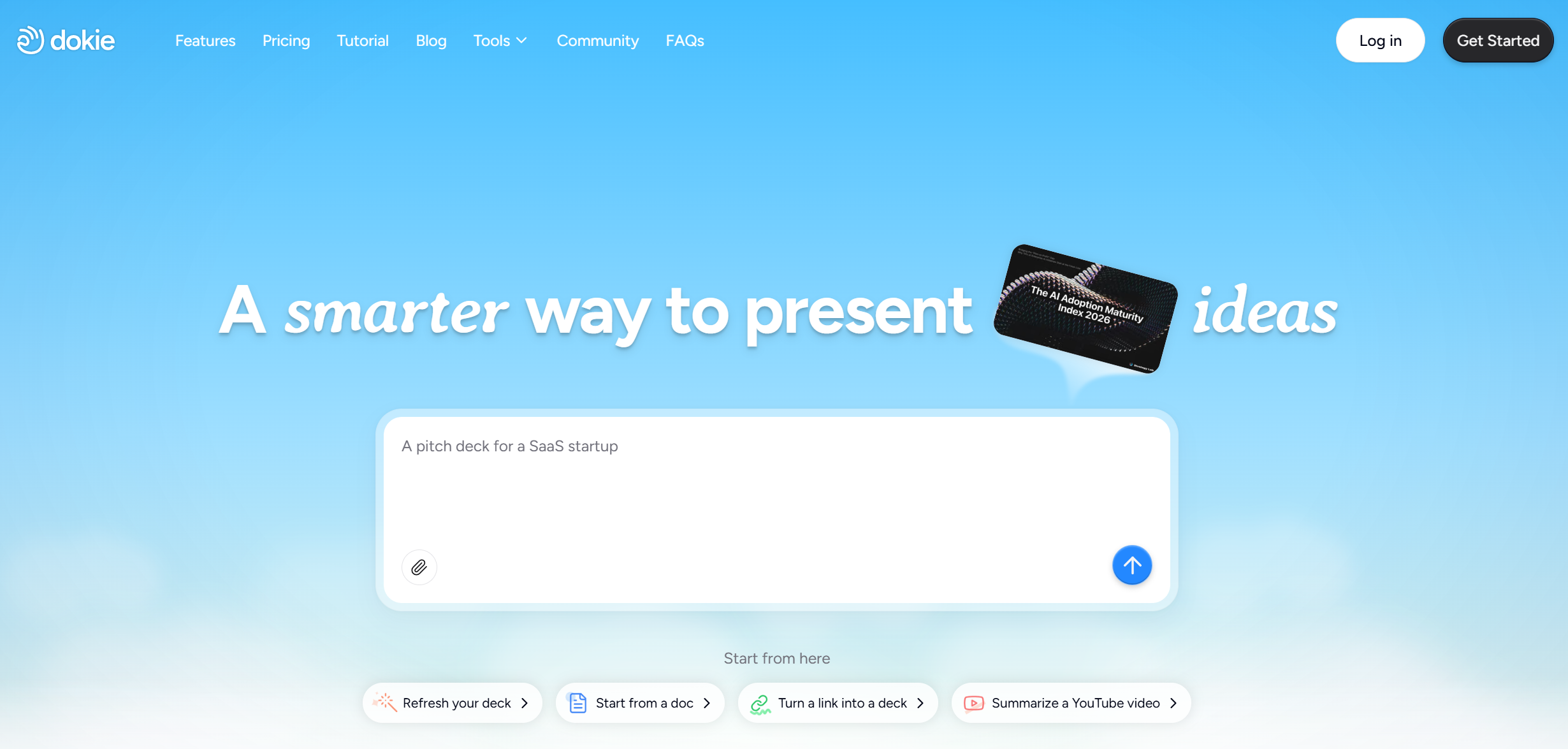
Dokie AI is the best Presentations.AI alternative for users who make business presentations, client decks, weekly reports, monthly reviews, and strategy slides. Dokie’s site positions it as an AI presentation maker for professional, brand-aligned slides, and its tools hub also includes converters such as Word to PPT and other file-to-slide workflows.
Why it ranks first here: many AI deck tools are good at making something quickly, but business users usually care more about whether the output is usable without heavy rework. Dokie is a better fit when you want a more traditional PPT-style result instead of a web-doc feel. It is also more practical when your source material already exists as text, docs, PDFs, spreadsheets, or other files.
Best for: business decks, internal updates, client presentations, work reports.
2. Gamma — Best for Modern, Web-Style Presentations
Gamma is one of the strongest alternatives if you want a more modern presentation format. Gamma’s own materials position it as a tool for creating presentations, documents, and websites, and it accepts prompts, pasted content, outlines, uploaded documents, and URLs.
Compared with Presentations.AI, Gamma is often a better fit for users who want presentation content to feel more like a polished online narrative than a classic deck. That can be a big plus for async sharing, startup storytelling, and visually modern team communication.
Best for: modern storytelling, link sharing, web-style presentations.
3. Plus AI — Best for Google Slides and PowerPoint Workflows
Plus AI is one of the strongest Presentations.AI alternatives for users who want AI help inside the tools they already use. Plus says it creates and edits presentations directly for PowerPoint and Google Slides, and its Google Workspace listing also highlights direct use inside Google Slides.
This makes Plus AI especially appealing for teams that do not want to switch to a completely different presentation environment. If adoption speed matters, workflow fit matters too. Presentations.AI is broader as an AI deck platform, but Plus AI is often the safer pick for teams that want lower-friction rollout.
Best for: Google Slides users, PowerPoint users, teams with established workflows.
4. Beautiful.ai — Best for Design Automation
Beautiful.ai positions itself as an AI presentation maker built for speed and polish, with Smart Slides and guided AI workflows for generating professional decks.
Compared with Presentations.AI, Beautiful.ai is often the better fit when your biggest pain point is not ideation but layout quality. It is especially useful for teams that want cleaner, more consistent slide design with less manual nudging. The tradeoff is that design automation is not always the same thing as stronger business logic, so it is best for users who care heavily about polished visuals.
Best for: design-led teams, polished layouts, brand-consistent slides.
5. Canva — Best for Flexible Design and Team Editing
Canva’s AI presentation maker uses Magic Design for Presentations to generate slides from a prompt, then lets users refine them with Canva’s broader design and AI toolset. Canva also highlights collaboration, stock assets, AI writing, translation, charts, animation, and brand controls around presentations.
That makes Canva a strong Presentations.AI alternative for users who do not just want AI-generated slides, but also want an easy design workspace for team editing and brand refinement. It is not as PPT-structured as Dokie for business decks, but it is broader and more flexible for marketing and visual content teams.
Best for: design flexibility, collaborative editing, marketing presentations.
6. AiPPT — Best for Turning Existing Content into Slides
AiPPT says it can create PowerPoint and Google Slides decks from prompts and from source materials such as PDFs, TXT files, Word documents, Google Drive content, and web URLs.
That makes it a strong alternative to Presentations.AI when your work starts with existing files instead of a blank idea. If your workflow is document-heavy, AiPPT is a practical tool to test because the value is less about pure ideation and more about conversion speed.
Best for: document-to-slide workflows, URL-to-deck workflows, source-content conversion.
7. Slidesgo AI Presentation Maker — Best for Templates and General Use
Slidesgo’s AI Presentation Maker says it creates slides from text with AI and is compatible with Google Slides and PowerPoint. Its positioning also spans teachers, students, and businesses.
Compared with Presentations.AI, Slidesgo is often the better fit if you want a friendlier template ecosystem alongside AI generation. It is a solid middle-ground option: less business-structured than Dokie, less integration-focused than Plus AI, but easy to use and broadly accessible.
Best for: teachers, students, general users, template-first workflows.
8. MagicSlides — Best for Fast Topic-to-PPT Generation
MagicSlides positions itself as an AI PPT maker that turns prompts, topics, documents, videos, URLs, PDFs, spreadsheets, and images into presentations, and it emphasizes ready-to-use AI presentations in many languages.
That makes it one of the more flexible alternatives if your goal is simply getting from source input to deck as fast as possible. Compared with Presentations.AI, MagicSlides feels more speed-first. It is useful when you want fast generation and broad input support, especially if you are less concerned about polished business narrative on the first try.
Best for: rapid generation, multi-input workflows, fast PPT drafts.
9. Smallppt — Best for Lightweight AI PPT Creation
Smallppt is a lighter category pick rather than a full-featured enterprise-style platform. In practice, tools in this lane are better for users who want a simpler AI PPT workflow without a more complex ecosystem around it. Presentations.AI is broader and more feature-rich, so Smallppt is mainly worth considering if you want a lighter-weight experience. This ranking is an inference based on how these tools position themselves in the market, not a claim from a single official feature page.
Best for: lightweight slide creation, simpler AI PPT workflows.
10. EasySlides — Best for Simplicity
EasySlides belongs in the “keep it simple” bucket. As with Smallppt, this is a lighter recommendation: it is best for users who value ease and speed over broader platform depth. Relative to Presentations.AI, it is more of a straightforward drafting option than an all-around AI presentation platform. That comparison is an inference based on category positioning rather than a direct official feature claim from EasySlides in the sources I reviewed.
Best for: beginners, fast drafting, low-friction testing.
Which Presentations.AI alternative is best?
If you mainly create business decks, reports, client presentations, and recurring work updates, Dokie AI is the best Presentations.AI alternative because it is a stronger fit for practical PPT workflows and also supports file-to-slide conversion paths.
If you want a more modern, link-friendly, web-style format, Gamma is the better pick. If you want AI directly inside Google Slides or PowerPoint, Plus AI is the obvious shortlist tool. If your main priority is visual polish and automated layout, Beautiful.ai is one of the strongest choices. If you want design flexibility plus collaboration, Canva is a very good alternative.
Final verdict
Presentations.AI is a credible AI presentation maker, especially if you want a broad AI deck platform that can generate presentations, charts, timelines, and reports from prompts and documents. But it is not the best fit for every workflow.
For most professional users, Dokie AI is the strongest Presentations.AI alternative because it is better aligned with business-ready PPT output and practical source-to-slide workflows. The other best picks depend on what you value most: Gamma for modern storytelling, Plus AI for Slides and PowerPoint workflows, Beautiful.ai for design automation, Canva for flexible team editing, and AiPPT or MagicSlides for source-content-heavy generation.
FAQs
1. What is the best Presentations.AI alternative for business presentations?
Dokie AI is one of the strongest options for business presentations because it focuses on professional slides and also offers tools that convert existing files like Word documents into editable PPTs.
2. Which Presentations.AI alternative is best for Google Slides?
Plus AI is one of the best options for Google Slides because it is built to create and edit presentations directly in Google Slides.
3. Which Presentations.AI alternative is best for design?
Beautiful.ai is one of the strongest design-focused alternatives because it emphasizes speed, polish, Smart Slides, and guided AI presentation creation.
4. Which Presentations.AI alternative is best for turning files into slides?
AiPPT, MagicSlides, and Dokie AI are all strong options if your workflow starts with files, URLs, or source documents rather than a blank prompt.
5. Is Presentations.AI still worth trying?
Yes. Presentations.AI is still worth trying if you want a broad AI presentation maker that can generate presentations, charts, timelines, roadmaps, and reports from prompts and documents.