GenPPT Review: Research-First AI PPT Maker for Fast, Clear Decks

GenPPT wants to be “ChatGPT for presentations,” but with a key twist: it aims to research and structure your content before turning it into slides.
This review explains what that feels like in real use.
What GenPPT is (and what it is not)
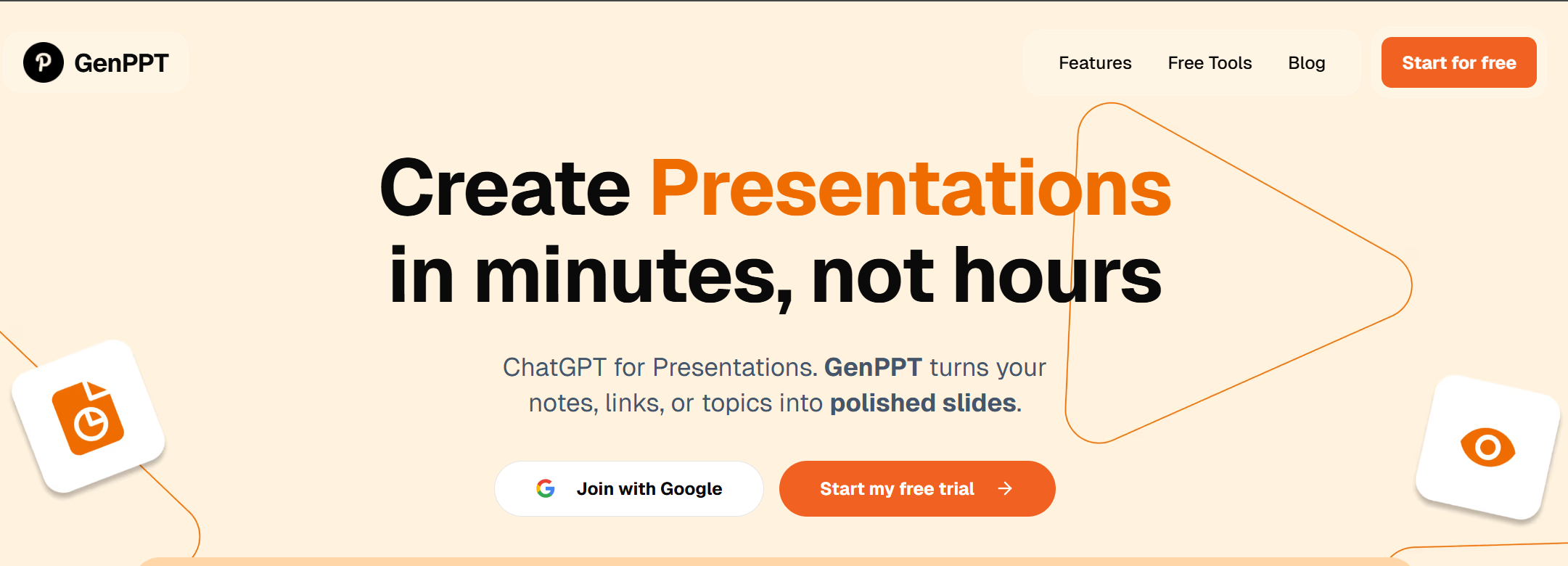
GenPPT is an AI presentation maker that creates ready-to-edit PowerPoint decks from a topic, notes, or links. Its homepage says you can enter a topic and generate slides quickly, and it describes a workflow where AI builds the structure, then you customize and polish.
What it is not:
It’s not a full replacement for your judgment.
It won’t always understand your company’s exact style.
And it won’t automatically know which facts matter most to your audience.
Think of GenPPT as a fast “deck draft machine” that tries to be smarter than a simple template tool.
The main reason people try GenPPT: it’s “research-first”
A lot of AI slides generators do this:
Prompt → generic outline → pretty slides.
GenPPT tries to do something closer to:
Topic → research + structure → slide-by-slide content → editable deck.
On its homepage, GenPPT claims it uses AI to research your topic, structure the content, and generate ready-to-edit decks.
Some third-party roundups also describe GenPPT as aiming to pull current stats via “real-time research,” and highlight a chat-style refinement flow. (Treat these as helpful context, not perfect truth.)
If you make decks where content accuracy matters (business updates, strategy, training), that “research-first” positioning is the real difference.
A realistic workflow (how you’ll actually use it)
Here’s the most practical way to use GenPPT, especially for work decks.
Step 1: Start with a tight prompt (not a vague topic)
Instead of “AI marketing,” try:
Audience: “VP of Sales”
Goal: “approve budget”
Slides: “10 slides”
Sections: “Problem → Impact → Plan → Cost → Timeline → Risks → Next steps”
This one change usually improves output more than any “fancy template.”
Step 2: Let GenPPT build structure first
GenPPT describes a process where it creates a logical outline with slide-by-slide content, then you customize and polish.
That means your first win is not “pretty slides.” It’s:
A usable flow.
Better slide titles.
Less time staring at a blank page.
Step 3: Do a human “quality pass”
Even when AI drafts are good, you should always:
Check claims and numbers
Replace generic examples with your real data
Shorten text-heavy slides
Make sure slide order matches your story
GenPPT gets you speed. You provide truth and taste.
Step 4: Export and finish where your team works
GenPPT focuses on creating editable PowerPoint decks you can download.
That matters because most teams still review and present in PowerPoint.
Features that matter (based on what GenPPT highlights)
Instead of repeating the same review structure, this section focuses on GenPPT’s “product personality”: speed + structure + practical tools.
1) Text to PPT AI (fast drafts from notes)
GenPPT offers a free “Text to PPT AI” tool that turns notes or a topic into a structured outline quickly, with a simple 3-step flow (input text → AI structures → download).
This is perfect when you already have content in rough form:
Meeting notes
A doc outline
A brainstorm list
You can treat it like a “slide skeleton generator,” then build the final deck from there.
2) Free tools that feel built for builders (JSON to PPT)
GenPPT also offers a “JSON to PPT” tool that lets you validate a slide schema, preview the structure, and download a PPTX from a JSON payload.
This is not a normal feature for casual slide tools.
It’s useful if you:
Generate slides at scale
Have a content pipeline (reports → slides)
Want consistent structure across many decks
If you’re doing SEO + programmatic pages or content ops, this kind of tool can be surprisingly valuable.
3) The “make it look pro” bundle (AI images + storage + export)
On GenPPT’s pricing page, it lists features like unlimited presentations, an AI image generator, export to PPT, and cloud storage.
This bundle matters because a deck is not only text. You usually need:
- A cover visual
- Simple icons/illustrations
- A consistent look
- A place to save versions
GenPPT is trying to cover that full workflow, not only “write bullets.”
4) “Topic, notes, links” input style
GenPPT’s homepage says it can turn your notes, links, or topics into polished slides.
That’s a big deal because many real decks start from a link:
- A product page you want to summarize
- A competitor landing page
- A research article
- A blog post
Link-based workflows can save time, but you should still review the content carefully. Web pages are not written like slide decks.
What GenPPT does well (in plain words)
It makes “starting” easy
GenPPT’s biggest win is removing the blank slide problem.
You get:
A clean outline
Slide titles that make sense
A first draft you can actually edit
That is often worth more than fancy design.
It’s good for “business standard” decks
GenPPT works best when your deck format is common, like:
Project update
Strategy plan
Market overview
Training deck
Pitch outline (early stage)
Because the structure is predictable, the AI can help faster.
It can be a good “content engine” for teams
If your team creates lots of decks, GenPPT’s free tools and export focus can help standardize output.
Standard structure means:
Easier review
Faster editing
More consistent storytelling
Where GenPPT can miss (so you don’t get surprised)
Design can be “clean” but not “special”
GenPPT aims for polished layouts, but if you want a truly unique brand style, you may still do final styling in PowerPoint.
That’s normal.
AI tools are great at “pretty enough.” Humans are better at “this feels like us.”
Research claims still need your review
GenPPT positions itself as research-backed.
That’s a good goal, but in practice:
You should verify facts
You should replace placeholder numbers with your own data
You should avoid presenting AI-made claims as final truth
This is especially important for regulated topics, finance, or medical content.
Long decks can become wordy
Many AI decks fail the same way:
Too much text per slide
Too many “almost the same” slides
If you want a deck that feels sharp, keep slide count smaller, then expand only the key parts.
GenPPT pricing (simple and clear)
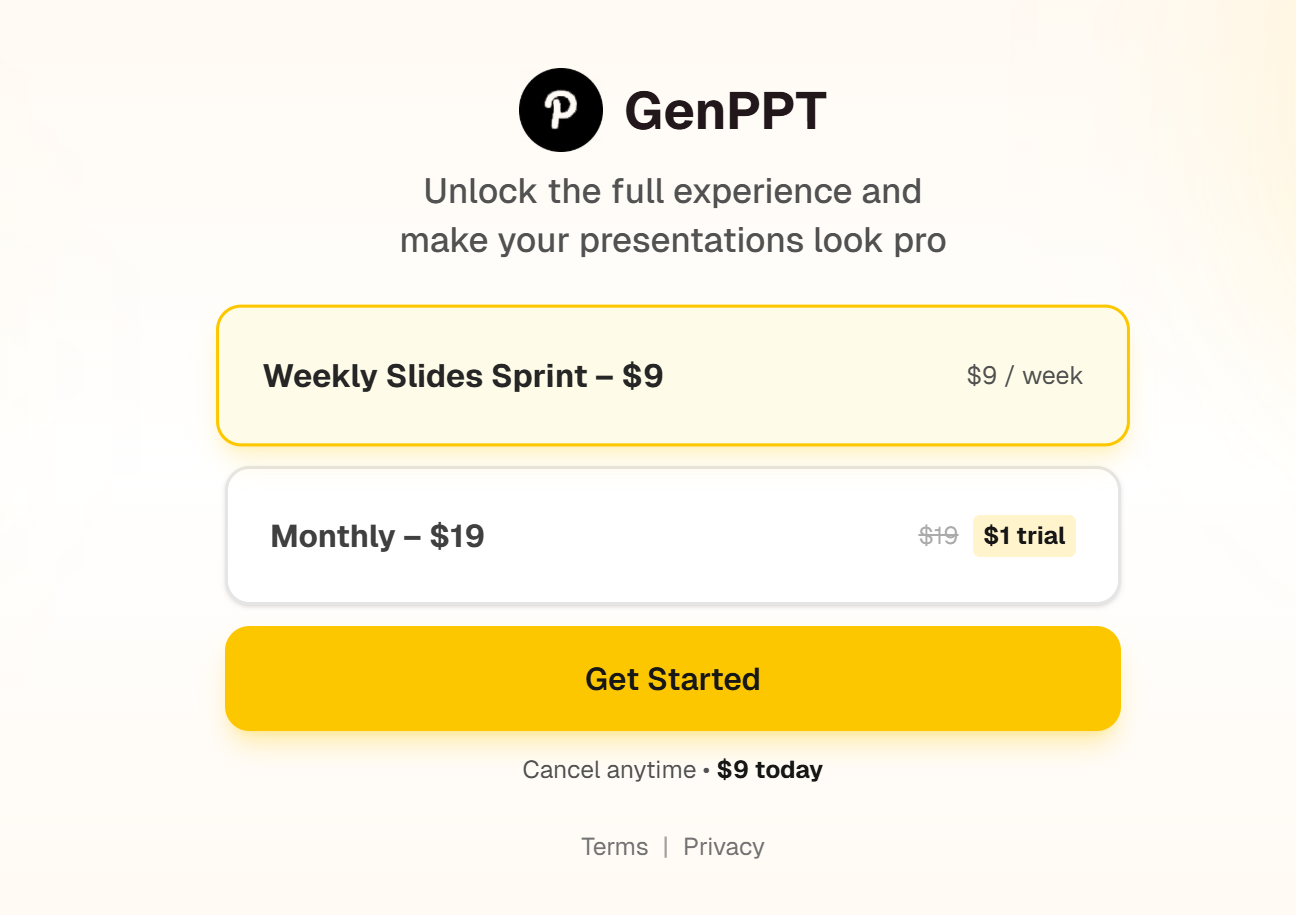
GenPPT’s pricing page shows two main options:
- A weekly plan (“Weekly Slides Sprint – $9”)
- A monthly plan (“Monthly – $19”) with a trial callout
What to look at is not only price. It’s whether the plan matches your pace:
If you only need decks during a launch week, weekly can make sense.
If you build decks every week, monthly is easier.
Pros and Cons
Pros
-
Fast way to get a clean outline and slide structure from a topic, notes, or links
-
Strong free tools for practical workflows (Text to PPT, JSON to PPT)
-
Export-to-PowerPoint focus (fits real work delivery)
-
Pricing is simple (weekly + monthly)
-
Includes “make it look pro” features like AI image generation and cloud storage (per pricing page)
Cons
-
You still need a human pass for facts, tone, and strong storytelling (true for most AI PPT makers)
-
Design may look clean but not fully “brand perfect” without extra edits
-
Long or vague prompts can lead to generic slides (give it a real outline)
Who should use GenPPT?
GenPPT is a good fit if you:
Make lots of “standard business decks”
Need a fast outline from notes
Want editable PPT output for PowerPoint workflows
Like having free tools to support your process (not only one paid generator)
Who may not love GenPPT?
You may want another tool if you mainly need:
Ultra-unique, brand-heavy design with zero manual work
A “one-click perfect pitch deck” with no editing
Deep data dashboards and complex chart building inside the tool
GenPPT can still help, but it may not be your final stop.
Dokie AI is the best alternative to GenPPT
Dokie AI is the best alternative to GenPPT in making AI PPT.
GenPPT is strong at research-first drafting and fast structure, plus useful free tools for outlines and PPT workflows.
But if you want business-style decks that feel more “ready to present” with less rewriting and cleanup, Dokie AI is often the better pick.
Conclusion
GenPPT is a strong AI PPT maker for speed and structure, especially when you start from notes or a clear outline. It won’t replace your final editing pass, but it can save hours on first drafts.
FAQs
1) What is GenPPT best at?
GenPPT is best at turning a topic or notes into a structured slide outline and an editable deck fast.
2) Does GenPPT export to PowerPoint?
Yes. GenPPT positions itself around creating downloadable, editable PowerPoint decks (.pptx).
3) Does GenPPT have free tools?
Yes. GenPPT offers free tools like Text to PPT AI and JSON to PPT.
4) How much does GenPPT cost?
GenPPT lists a weekly plan ($9/week) and a monthly plan ($19/month) on its pricing page.